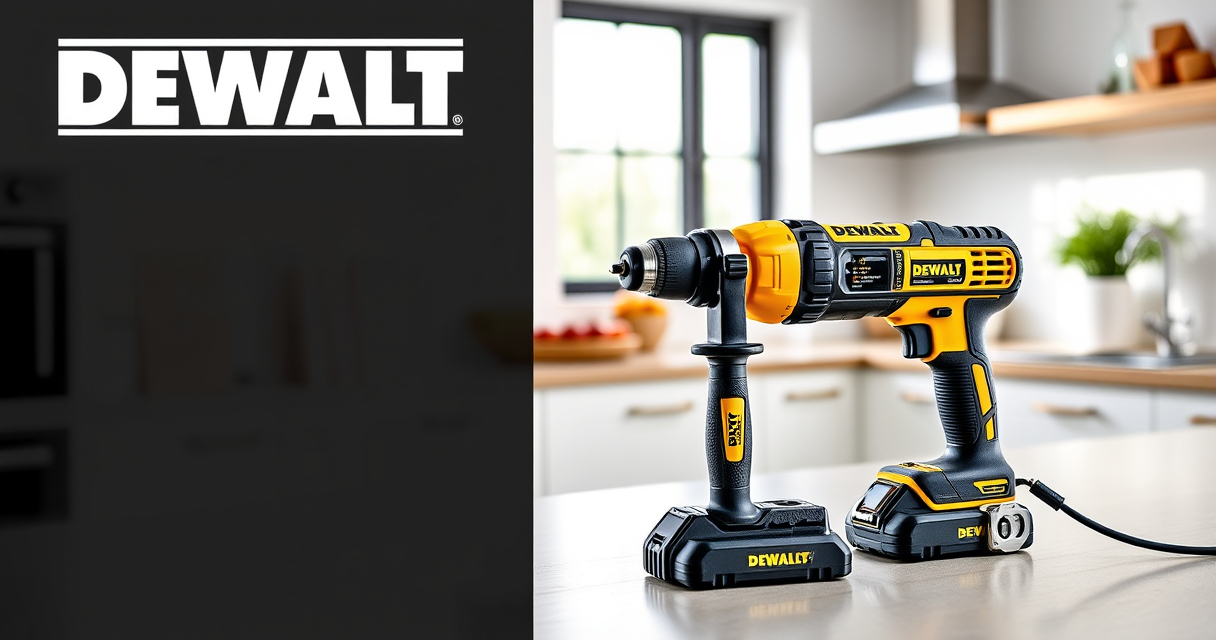
Dealing with a DEWALT power tool battery that won’t charge can be frustrating, especially when you’re in the middle of a project. This guide provides practical, safe, and accurate troubleshooting steps to help you identify and fix common charging problems with your DEWALT batteries.

Get tools and workshop supplies delivered free — and shop member deals
- Fast, free delivery on millions of items
- Access to Prime Big Deal Days deals on October 6–7
- Prime Video, Amazon Music and more included
Follow these step-by-step instructions to get your batteries back to full capacity quickly and safely, ensuring your tools are always ready for use.
Key Takeaways
| Battery health | Poor battery condition can prevent charging. |
| Charger issues | Faulty or incompatible chargers may cause charging failures. |
| Power source | Ensure power outlets are working and cords are intact. |
| Connection checks | Properly seat the battery and charger contacts. |
| Temperature factors | Extreme cold or heat can affect charging performance. |
Step 1: Verify Power Source and Charger
- Ensure the power outlet is functioning by testing it with another device.
- Inspect the charger for visible damage, loose components, or dirt on contacts.
- Connect the charger to a different outlet if available.
Step 2: Check Battery Seating and Contacts
- Remove the battery from your tool and charger.
- Inspect the battery’s metal contacts for dirt, grime, or corrosion.
- Clean contacts gently with a dry cloth or a soft brush.
- Reinsert the battery firmly into the charger, ensuring proper alignment.
Step 3: Test with a Different Charger or Battery
- If you have a spare compatible charger, try charging the battery with it.
- Similarly, test the battery with another known working charger.
- This helps determine if the problem lies with the battery or the charger.
Step 4: Allow Battery and Environment to Warm or Cool
If the battery or charger is extremely cold or hot, let them reach room temperature before attempting to charge again. Avoid charging in direct sunlight or freezing conditions.
Step 5: Assess Battery Condition and Replace if Needed
If the battery is old, swollen, or fails to hold a charge after troubleshooting, it may need replacing. Consider using a DEWALT 20V MAX 5 Ah Lithium-Ion Battery for extended runtime and better performance.
The Products in This Guide

DEWALT 20V MAX Cordless Drill Driver Set
- ✔ LED Light: Yes
- ✔ Warranty: 3-year limited
- ✔ Included: Charger and 2.0 Ah battery

DEWALT Drill Bit Set
- ✔ Number of Bits: 14
- ✔ Tip Design: Split point
- ✔ Shank Type: 3-flats
DEWALT 20V MAX Cordless Drill Driver Set
The DEWALT 20V MAX Cordless Drill Driver Set offers a brushless motor for longer run time, a compact design, and an ergonomic grip. Its charging issues are often due to simple connection or environmental factors, which this guide helps resolve.
Pros:
- Brushless motor delivers more run time
- Compact and lightweight design
- Ergonomic comfort grip handle
- LED light for visibility
Cons:
- Battery charging issues may require troubleshooting
- Limited to 20V MAX system
Best for: DIY projects, home repairs, and light to medium professional use
Not ideal for: Heavy-duty industrial applications or extended heavy use without spare batteries
Bottom line: A versatile, reliable drill set ideal for a wide range of tasks, with troubleshooting tips for battery charging issues.
DEWALT Drill Bit Set
Pair your DEWALT cordless drill with this 14-piece drill bit set featuring high-speed steel and a 135-degree split point tip. It enhances drilling accuracy and efficiency across different materials.
Pros:
- High-speed steel construction
- Includes multiple sizes
- Resists rust with black and gold coating
- Reduces walking with split point
Cons:
- Only compatible with certain drills
- Not suitable for heavy-duty industrial use
Best for: General-purpose drilling in plastic, wood, and metal
Not ideal for: Heavy-duty metal fabrication or concrete drilling
Bottom line: A versatile drill bit set that complements your DEWALT drill for precise and durable performance.
Frequently Asked Questions
Why isn’t my DEWALT battery charging?
Common causes include dirty contacts, faulty charger, environmental temperature issues, or a worn-out battery. Follow the troubleshooting steps outlined to identify the specific cause.
Can I leave my battery on the charger indefinitely?
It’s best to remove the battery once fully charged to prolong its lifespan. Most DEWALT chargers have a built-in protection feature, but continuous charging can still affect battery health.
How do I clean the battery contacts?
Use a dry cloth or a soft brush to gently remove dirt, dust, or corrosion from the metal contacts. Avoid using water or harsh chemicals.
When should I replace my DEWALT battery?
If the battery no longer holds a charge, shows signs of swelling, or is several years old, replacing it with a new compatible battery is recommended for optimal performance.
Keeping Your DEWALT Power Tools Powered Up
Regular maintenance and proper handling of your DEWALT batteries and chargers can prevent many charging issues. By following these troubleshooting steps, you can quickly resolve common problems and ensure your tools are always ready for your next project. Remember to always handle batteries and chargers safely, and replace worn-out components promptly for continued reliable performance.
Affiliate disclosure: As an Amazon Associate we earn from qualifying purchases. Prices and availability are accurate as of the time of publishing.
Fall yard work Picks
leaf blowers
As an affiliate, we earn on qualifying purchases.