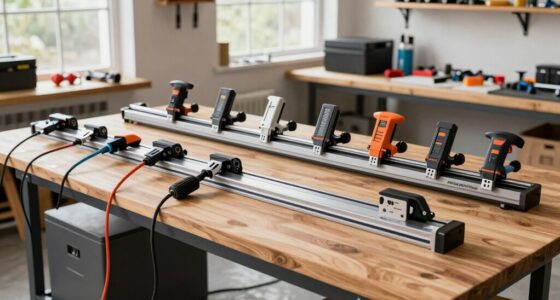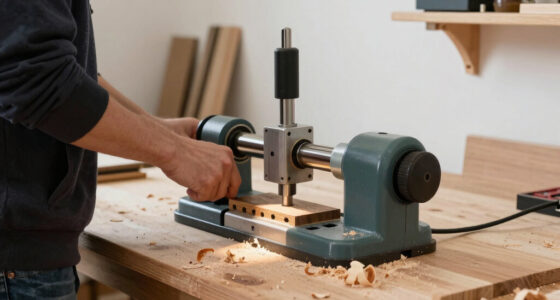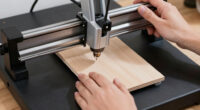
Finding the best compact CNC router in 2026 involves balancing size, power, and versatility. The Genmitsu 710W CNC stands out as an excellent overall option thanks to its solid build and user-friendly interface, ideal for hobbyists and light professional work. The Carvera Air offers high precision in a compact form with metal support, perfect for those working with both wood and metal. Meanwhile, the Genmitsu 4040-PRO provides a larger working area for those needing more space without sacrificing desk footprint. As with all tools in this category, tradeoffs include power versus size, ease of use versus advanced features, and price versus versatility. Continue reading for a detailed comparison to help you find the right fit for your needs.
Key Takeaways
- The top picks balance size, power, and usability, with many favoring those that blend desktop convenience with decent performance.
- Hobbyists benefit most from models with simple controls and assembly, while small workshops should prioritize durability and precision.
- Higher-priced options often include advanced features like auto Z-probing or WiFi support, but may be overkill for casual users.
- Power ratings and working area size are key differentiators, impacting the types of projects each machine can handle.
- Ease of setup and software compatibility are common factors that separate beginner-friendly models from professional-grade units.


More Details on Our Top Picks
Genmitsu 710W CNC Compact Router with LCD Digital Display
This 710W CNC router stands out for its ability to handle demanding materials like aluminum and hardwood, making it a strong choice over smaller, less powerful models like the Genmitsu CNC 3018-PRO. Its digital LCD speed display allows for precise control, which is essential for professional milling. However, it requires some technical setup and does not include collets or bits, adding to the initial learning curve. Compared to hobbyist options, this model offers more robustness and versatility—at a tradeoff of needing a dedicated workspace and familiarity with CNC operation. It’s ideal for advanced hobbyists or small workshops needing reliable, high-torque performance.
Pros:- Powerful 710W motor for demanding materials
- Digital LCD speed display for precise control
- High durability with long-lasting carbon brushes
- Compatible with a variety of bits
Cons:- Collets or bits are not included, increasing initial costs
- Requires technical setup and calibration
- Designed for larger CNC units, not ideal for very small spaces
Best for: Small workshop owners or advanced hobbyists who need to mill tough materials with precision
Not ideal for: Beginners or users with limited technical experience, as setup can be complex
- Power:710W
- Diameter:65mm
- Speed Range:6000–30000 RPM
- Collet Size:1/8″ ER11
- Runout:Less than 0.05 mm
- Includes:4 carbon brushes, 6 adjustable speeds, LCD display, 11.5 ft power cord
Bottom line: This CNC router makes the most sense for experienced users needing serious power and precision, willing to handle a more involved setup.
FoxAlien Masuter Pro 3-Axis CNC Router Machine for Hobby Engraving
The FoxAlien Masuter Pro earns its place as a hobbyist-friendly machine thanks to its all-metal construction and straightforward assembly, making it more durable than plastic-framed competitors like the Genmitsu 3018-PRO. Its large working area (15.75″ x 15.75″) supports a variety of projects, while the versatile spindle options allow for engraving, carving, and light milling on wood, acrylic, and nylon. Unlike the Cubiko, which is more automated and enclosed, the Masuter Pro prioritizes flexibility and upgradeability, though it may require additional purchase for some spindle upgrades. Its ease of assembly and stable build make it suitable for those starting in CNC, but it’s limited to small-scale projects and still demands some technical familiarity.
Pros:- All-metal, durable construction for stability
- Easy to assemble with pre-wired components
- Versatile spindle options for different materials
- Large engraving area for diverse projects
Cons:- Additional purchase needed for some spindle upgrades
- Limited to small-scale projects
- Assembly can be challenging for users with no prior experience
Best for: Hobbyists and DIYers looking for a durable, upgradeable CNC for versatile craft projects
Not ideal for: Complete beginners or those needing a machine for large or industrial-scale work
- All-Metal Structure:Yes
- Linear Rail Z-Axis:Yes
- Working Area:15.75″ x 15.75″ x 2.36″
- Spindle Compatibility:60W, 300W, optional 65mm, 1.5KW
- Controller:Dust-proof, with emergency stop and home buttons
- Assembly Time:10-15 minutes
Bottom line: This machine suits hobbyists who want a stable, upgradeable CNC capable of handling a variety of small projects with some technical skill.
Genmitsu Cubiko CNC Router Machine with Enclosure, PCB Milling, Desktop CNC with Auto Z-Probing, WiFi & App Support
The Genmitsu Cubiko excels as a compact, ready-to-use desktop CNC, making it ideal for beginners and light projects such as PCB milling or small woodworking. Its enclosed design enhances safety and reduces dust and noise, distinguishing it from open-frame models like the 3018-PRO. Automatic tool height adjustment and surface measurement simplify setup, which is a plus for newcomers. However, the limited size and power restrict it to small-scale work, and it requires 230V power, which could be inconvenient for some users. Compared to larger, more powerful routers, Cubiko prioritizes ease of use and safety over heavy-duty capacity, making it perfect for educational purposes or light hobby use.
Pros:- Supports multiple software including Genmitsu App and Fusion 360
- Automatic tool height and surface adjustment for accuracy
- Enclosed design boosts safety and reduces mess
- Easy to set up for beginners
Cons:- Limited to small projects due to desktop size
- Not suitable for heavy-duty milling or large materials
- Requires 230V power, which might be incompatible locally
Best for: Beginners or those needing a compact, safe machine for light engraving and PCB milling
Not ideal for: Users aiming for large-scale woodworking or demanding milling tasks
- Power Source:AC 230V
- Voltage:230 Volts
- Horsepower:96 Watts
- Maximum Rotational Speed:9000 RPM
- Material Type:Metal
- Warranty:30-Day Return Guarantee
Bottom line: This CNC is perfect for beginners or small hobbyists who want a safe, easy-to-use machine for light engraving and PCB work.
Genmitsu CNC 3018-PRO Router Kit with GRBL Control, 3 Axis, XYZ Working Area 300 x 180 x 45mm
The Genmitsu CNC 3018-PRO remains a staple for entry-level users thanks to its straightforward assembly and compatibility with open-source GRBL control software. Its modest working area makes it suitable for small projects involving plastics, soft metals, and wood, similar to the Cubiko but with more flexibility in material choice. While the 3018-PRO is easier for complete beginners compared to more advanced models like the 710W, its limited size and somewhat inconsistent motor specifications can be frustrating for those wanting to scale up. Compared to the Masuter Pro, it offers less robustness but is more accessible for absolute newcomers who prefer a simple, affordable setup.
Pros:- Easy to assemble with minimal technical knowledge
- Supports a wide range of materials including plastics and wood
- Compatible with open-source GRBL software for reliable control
- Includes an offline controller for standalone operation
Cons:- Limited working area restricts project size
- Motor specifications can seem inconsistent or confusing
- Less suited for heavier or larger milling tasks
Best for: Beginners or hobbyists starting with small, simple projects on plastics or soft metals
Not ideal for: Experienced users or those needing to carve larger or tougher materials
- Power Source:Corded Electric
- Voltage:24 Volts
- Horsepower:120 HP
- Maximum Rotational Speed:1000 RPM
- Working Area:300 x 180 x 45 mm
- Control Software:GRBL
Bottom line: This machine is ideal for beginners seeking an affordable, simple CNC for small-scale carving and engraving projects.
Carvera Air Desktop CNC Machine with 4th Axis, Compact Enclosed Mini CNC Router Mill, Quick Tool Changer, High Precision, Supports Metal and Wood
The Carvera Air stands out for its ability to handle complex 3D projects thanks to the integrated 4th axis, making it more versatile than the Genmitsu 4040-PRO, which is primarily suited for straightforward cutting and engraving. Its quick tool changer and auto-probing features significantly speed up workflows, ideal for users who need precision and efficiency. However, the limited work area and potential learning curve mean it’s best for hobbyists with some CNC experience or small-scale production. Unlike the Genmitsu 4040-PRO, which offers a strong metal frame but less multi-axis capability, the Carvera Air’s expanded features come with a higher price point and a need for more technical familiarity.
Pros:- Supports complex 3D and cylindrical machining with 4th axis
- Quick tool changer accelerates project turnaround
- Auto-probing and leveling ensure precise cuts
- Compatible with multiple OS and CAD/CAM software
Cons:- Steep learning curve for newcomers to CNC technology
- Limited work area restricts larger projects
- Additional accessories might be needed for advanced features
Best for: DIY makers and hobbyists looking to perform complex multi-axis machining on small metal and wood pieces.
Not ideal for: Beginners or users needing larger work surfaces, since the compact size limits bigger projects and the learning curve may be steep.
- Work Area:3.6″ diameter x 7.9″ length
- Spindle Speed:0–13,000 RPM
- Runout:<0.01mm
- Connectivity:WiFi, USB
- Supported OS:Mac OS, Windows, iOS, Android, Linux
- Includes:Accessory kit, Tool kit, Material kit, User guides
Bottom line: This pick is ideal for experienced hobbyists aiming for multi-axis capabilities in a compact, desktop form.
Avid Power 6.5 Amp 1.25 HP Compact Fixed Base Wood Router with Variable Speeds and Accessories
Compared with the Genmitsu CNC 4040-PRO, which is primarily a CNC router for engraving and light milling, the Avid Power Router excels in handheld and manual routing tasks thanks to its powerful motor and variable speeds. Its precise depth adjustment and LED illumination make it highly suitable for detailed woodworking projects, especially for users who prefer manual control combined with power. However, being corded and fixed in base limits its flexibility for larger or more complex CNC projects, making it less suitable for those seeking automation or large work areas. For those who value manual precision and ease of use over CNC automation, this router offers a strong combination of power and control.
Pros:- Powerful 6.5 Amp motor with variable speed for versatile use
- Precise depth adjustment with integrated LED for visibility
- Durable aluminum housing ensures longevity
- Includes multiple guides and bits for diverse woodworking tasks
Cons:- Corded design limits mobility and workspace options
- Heavy weight may cause fatigue during prolonged handheld use
- Limited to fixed base operation, reducing versatility for CNC projects
Best for: Woodworkers and DIY enthusiasts who need a powerful, precise handheld router for detailed cuts and manual projects.
Not ideal for: CNC hobbyists looking for automation or larger work areas, since this tool is fixed and corded with limited scope for complex machining.
- Power Source:Corded Electric
- Voltage:120 Volts
- Horsepower:1.25 HP
- Maximum Rotational Speed:32,000 RPM
- Amperage:6.5 Amps
- Base Type:Fixed
Bottom line: This router is best suited for skilled woodworkers seeking a powerful, manual tool with fine control over detailed tasks.
Genmitsu CNC Router Machine 4040-PRO for Metal and Acrylic Cutting, 3-Axis Engraving, 15.7″ x 15.7″ x 3.1″ Working Area
The Genmitsu 4040-PRO offers a sturdy all-metal frame with upgraded components, making it a reliable choice for precise cutting of metal and acrylic, unlike the Carvera Air which leans toward multi-axis milling. Its relatively larger 15.7″ x 15.7″ x 3.1″ work area provides more room for small to medium projects, and its compatibility with various software allows flexible upgrades. However, it requires some technical skill for assembly and software setup, and its weight and size demand dedicated space. Compared with the Carvera Air, which supports complex 3D machining, the 4040-PRO excels at straightforward engraving and milling, making it more accessible for hobbyists focused on precision work within a modest budget.
Pros:- Sturdy all-metal frame for stability and accuracy
- Supports multiple spindle sizes and accessories
- Easy to assemble—setup takes around 15 minutes
- Compatible with various software and upgrade options
Cons:- Requires some technical knowledge for setup and upgrades
- Heavy and bulky, requiring dedicated space
- Limited to 240V power supply, may need converters in some regions
Best for: Hobbyists and small-scale professionals seeking a stable, versatile CNC for metal and acrylic projects without extensive multi-axis features.
Not ideal for: Users needing rapid multi-axis machining or larger work surfaces, since its setup and size are better suited for smaller, precise tasks.
- Product Type:Router Power Tool
- Voltage:240 Volts
- Material:Aluminum, Acrylic
- Working Area:15.7″ x 15.7″ x 3.1″
- Control System:GRBL
- Axis:3
Bottom line: This machine is ideal for hobbyists who want precise metal and acrylic engraving with straightforward assembly and reliable stability.

How We Picked
These products were evaluated based on performance, build quality, ease of use, versatility, and value for money. We considered whether the machines could handle different materials like wood, plastic, and metal, and how suitable they are for hobbyists versus professionals. User interface and support features, such as WiFi or auto Z-probing, played a role in ranking, along with the size of the work area relative to the machine’s footprint. Price was also a significant factor, ensuring options cater to different budgets while maintaining core functionality. Our goal was to identify models that strike a practical balance between compact size and capable performance, helping buyers find the best fit for their specific needs and skill levels.Factors to Consider When Choosing Best Compact CNC Router
Choosing the right compact CNC router involves considering several key factors that impact usability, project scope, and future growth. While size is important, it should not come at the expense of power or precision. Understanding your material needs, workspace limitations, and budget can help narrow options effectively. A thoughtful approach ensures you select a machine that will serve your current projects well and adapt as your skills or demands grow.Work Area Size and Material Compatibility
Size matters, but so does the ability to work with your preferred materials. A larger working area allows for bigger projects but often increases the machine’s footprint and cost. Conversely, smaller sizes are more portable and suitable for delicate or detailed work but might limit project scale. Consider what materials you plan to cut or engrave—some models excel with wood but struggle with metal or acrylic. Matching your project needs with the machine’s capabilities ensures efficiency and reduces frustration.
Power and Spindle Speed
Power ratings, measured in watts or horsepower, directly influence how well a CNC router can handle tougher materials like metal or hardwood. Higher power typically means faster cutting and smoother finishes, but it can also add bulk and expense. Spindle speed control is equally important for precision work, especially with delicate materials or intricate designs. Think about your typical projects—if they involve metal or thick wood, prioritize a model with higher power and variable speed options.
Ease of Use and Software Compatibility
Intuitive controls and reliable software support are vital, especially for beginners. Look for models with straightforward interfaces, clear instructions, and compatibility with popular CAD/CAM programs. Some units come with app support or WiFi connectivity, simplifying setup and file transfer. Avoid overly complex systems if you’re new; instead, choose models that offer guided setup and accessible tutorials. Ease of use reduces learning curves and accelerates project completion.
Build Quality and Support
Sturdy construction, including metal frameworks and quality components, contributes to machine longevity and consistent results. Cheaper models might save money upfront but can suffer from vibrations or misalignment over time. Reliable customer support and readily available spare parts are equally important, especially for ongoing projects. Investing in a well-built machine ensures durability, reduces downtime, and supports your growth as a CNC user.
Price and Future Scalability
While budget constraints are real, consider whether spending more now might save you money later through better performance and fewer upgrades. Cheaper units may lack features like auto Z-probing or advanced control options, limiting your project complexity. Larger or more capable machines tend to be more versatile, allowing you to expand into new materials or techniques. Balancing cost with potential for future projects helps avoid the need for early replacement or costly upgrades.
Frequently Asked Questions
Can a compact CNC router handle metalworking tasks?
Some compact CNC routers are capable of working with metals like aluminum or brass, especially those with higher power ratings and robust build quality. However, many models are primarily designed for softer materials like wood, plastic, or acrylic. If metalwork is a priority, look for units specifically rated for metal, with sufficient spindle power and rigidity. For occasional metal engraving or light milling, select a model with a dedicated metal-compatible spindle and ensure proper cooling and safety measures.
What is the typical learning curve for a beginner with a compact CNC router?
Most beginner-friendly models are designed to be easy to set up and operate, often with guided software and straightforward interfaces. Expect a learning curve related to understanding CAD/CAM file preparation, machine calibration, and safety practices. Basic operations can typically be mastered within a few hours, but developing proficiency in complex designs or advanced features might take weeks of practice. Investing in tutorials and community support can significantly shorten the learning process and improve your results.
How important is software support and connectivity options?
Software compatibility and connectivity are vital for a smooth workflow. Machines supporting WiFi or app-based controls make file transfers and adjustments more convenient, especially in small setups. Compatibility with popular design software ensures you can easily prepare and modify projects without additional hassle. Before buying, verify that the CNC router supports your preferred programs and connectivity methods to avoid integration issues later on.
Should I prioritize power or size when choosing a compact CNC router?
It depends on your project needs. If you plan to work with tougher or thicker materials, prioritizing power makes sense to ensure efficient cutting and durability. However, if space is limited or portability is a concern, choosing a smaller, less powerful model may be more practical. Finding a balance between these factors is key; for most hobbyists, a mid-range power with a compact size offers the best compromise for versatility and convenience.
What maintenance considerations should I keep in mind?
Regular maintenance, such as cleaning, lubrication, and checking for loose parts, is essential to keep a CNC router functioning accurately. Models with easily accessible components simplify routine upkeep. Additionally, using quality replacement parts and following manufacturer guidelines prolongs machine life. Investing time in proper maintenance reduces downtime and ensures consistent results over years of use.
Conclusion
For those just starting out or seeking a versatile desktop machine, the Genmitsu 710W offers a balanced mix of power, ease of use, and affordability, making it the best overall choice. Hobbyists working with a variety of materials might find the FoxAlien Masuter Pro or Carvera Air better suited due to their higher precision and robust build. For professionals needing larger workspaces without sacrificing compactness, the Genmitsu 4040-PRO provides a compelling option. If budget is your main concern, the Genmitsu 3018-PRO still delivers solid performance for light use. Ultimately, your choice should align with your material needs, project scale, and experience level.