
Keeping your DEWALT 20V MAX Cordless Drill Driver set in top condition ensures reliable performance and extends its lifespan. Whether you’re experiencing issues or just want to maintain optimal operation, this comprehensive guide provides clear, safe, and effective troubleshooting and care tips.

Get business pricing on tools and workshop supplies
- Business-only prices and quantity discounts
- Tax-exempt purchasing
- Multiple users, one account, clear invoices
From routine maintenance to resolving common problems, follow these step-by-step instructions to get the most out of your DEWALT drill. Always prioritize safety and consult your user manual for specific model details.
Key Takeaways
| Battery Care | Proper charging and storage extend battery life. |
| Performance Troubleshooting | Identify common issues like weak power or overheating. |
| Maintenance Tips | Regular cleaning and inspection prevent damage. |
| Safe Handling | Always disconnect power before maintenance. |
| Tool Longevity | Routine care ensures long-term reliable operation. |
Routine Inspection and Cleaning
- Unplug or remove the battery from the drill before starting any maintenance.
- Use a dry cloth or soft brush to remove dust, debris, and dirt from the exterior and vents.
- Check the chuck for debris or damage and clean with compressed air if needed.
- Inspect the LED light and switch for any signs of wear or damage.
Regular cleaning prevents dust buildup that can impair performance or cause overheating.
Battery Maintenance and Care
- Ensure batteries are fully charged before lengthy storage, but avoid overcharging.
- Store batteries in a cool, dry place away from direct sunlight and extreme temperatures.
- Use only DEWALT-approved chargers to prevent damage to the battery cells.
- Periodically check the LED fuel gauges to monitor battery health.
Proper battery care prolongs runtime and overall lifespan. Avoid leaving batteries fully discharged for extended periods.
Troubleshooting Common Issues
- Drill not turning on: Confirm the battery is charged and properly seated. Check the switch for damage.
- Reduced power or overheating: Allow the tool to cool down, clean vents, and inspect for debris or worn brushes.
- Chuck slipping or not tightening: Tighten the chuck securely or replace if worn out.
- LED light not working: Check the switch and replace the LED if faulty.
If problems persist, consult the user manual or contact DEWALT customer support.
Lubrication and Part Replacement
While most modern DEWALT drills are maintenance-free, occasional lubrication of moving parts can improve performance. Use a light machine oil on the chuck’s moving parts if they feel stiff. Replace worn-out parts, such as brushes or chucks, following manufacturer instructions or seeking professional service.
Safety Tips for Maintenance
- Always disconnect the tool from power before cleaning or replacing parts.
- Wear safety glasses to prevent debris from entering your eyes.
- Work in a well-ventilated area to avoid inhaling dust or fumes.
- Use only recommended replacement parts to ensure safety and compatibility.
Prioritizing safety during maintenance helps prevent accidents and damage.
The Products in This Guide

DEWALT 20V MAX Cordless Drill Driver Set
- ✔ Voltage: 20V
- ✔ Drive Size: 1/2 inch
- ✔ Weight: Approx. 3 lbs

DEWALT Drill Bit Set
- ✔ Tip Design: Split point
- ✔ Shank Type: 3-Flats
- ✔ Material: High-Speed Steel
DEWALT 20V MAX Cordless Drill Driver Set
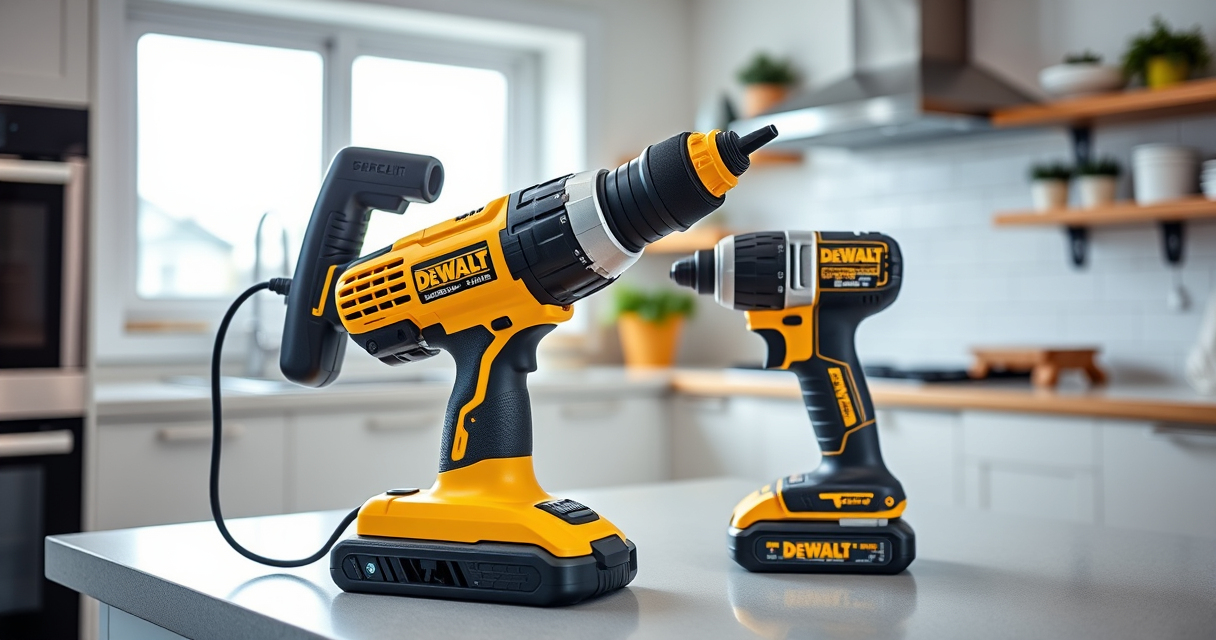
The DEWALT 20V MAX Cordless Drill Driver Set offers a powerful brushless motor, lightweight design, and reliable performance. Its 2-speed transmission and LED light make it ideal for various tasks, especially in tight or dimly lit spaces.
Pros:
- Powerful brushless motor for extended run time
- Compact and lightweight design
- LED light with delayed shutoff for visibility
- Includes 2.0 Ah battery and charger
- Ergonomic grip for comfort
Cons:
- Battery life may vary with heavy use
- Limited to 1/2 inch chuck size
- No belt hook included
Best for: DIY enthusiasts and professionals needing a reliable, versatile drill.
Not ideal for: Heavy-duty industrial applications requiring more power.
Bottom line: A highly capable, user-friendly cordless drill suited for a variety of tasks.
DEWALT Drill Bit Set
Pair your DEWALT drill with this 14-piece drill bit set featuring a 135-degree split point tip. Designed for use with plastic, wood, and metal, these bits are durable and resist walking during drilling.
Pros:
- High-speed steel for durability
- Split point reduces walking
- Includes various sizes
- Tough coating prevents rust
Cons:
- Limited to specific bit sizes
- No carrying case included
- Requires compatible drill for best use
Best for: General-purpose drilling in multiple materials.
Not ideal for: Heavy-duty industrial drilling or large holes.
Bottom line: A versatile, durable drill bit set that complements your DEWALT drill well.
Frequently Asked Questions
How do I recharge my DEWALT drill batteries properly?
Use only DEWALT-approved chargers and ensure the battery is at room temperature before charging. Avoid overcharging by removing the battery once fully charged.
What should I do if my drill overheats?
Allow the drill to cool down in a well-ventilated area, check for debris blocking vents, and avoid continuous operation beyond recommended runtime.
Can I upgrade the chuck on my DEWALT drill?
Most DEWALT drills have a fixed chuck size (1/2 inch). Replacement chucks are available but should be installed following the manufacturer’s instructions or by a professional.
How often should I replace the brushes in my drill?
Brush replacement depends on usage; inspect periodically for wear. If the drill starts losing power or making unusual noises, it may be time to replace the brushes.
Is it safe to use my drill in wet conditions?
No. DEWALT drills are not designed for wet environments. Using in rain or wet locations can cause electrical shorts or damage.
Keep Your DEWALT Drills Performing at Their Best
Regular maintenance and troubleshooting are essential for ensuring your DEWALT cordless drill continues to deliver reliable performance. By following these step-by-step tips, you can prevent common issues, extend the lifespan of your tools, and ensure safe operation. Remember to always disconnect power before performing any maintenance and use authentic parts when replacing components. A well-maintained drill will serve you well for years to come.
Affiliate disclosure: As an Amazon Associate we earn from qualifying purchases. Prices and availability are accurate as of the time of publishing.
Fall yard work Picks
leaf blowers
As an affiliate, we earn on qualifying purchases.