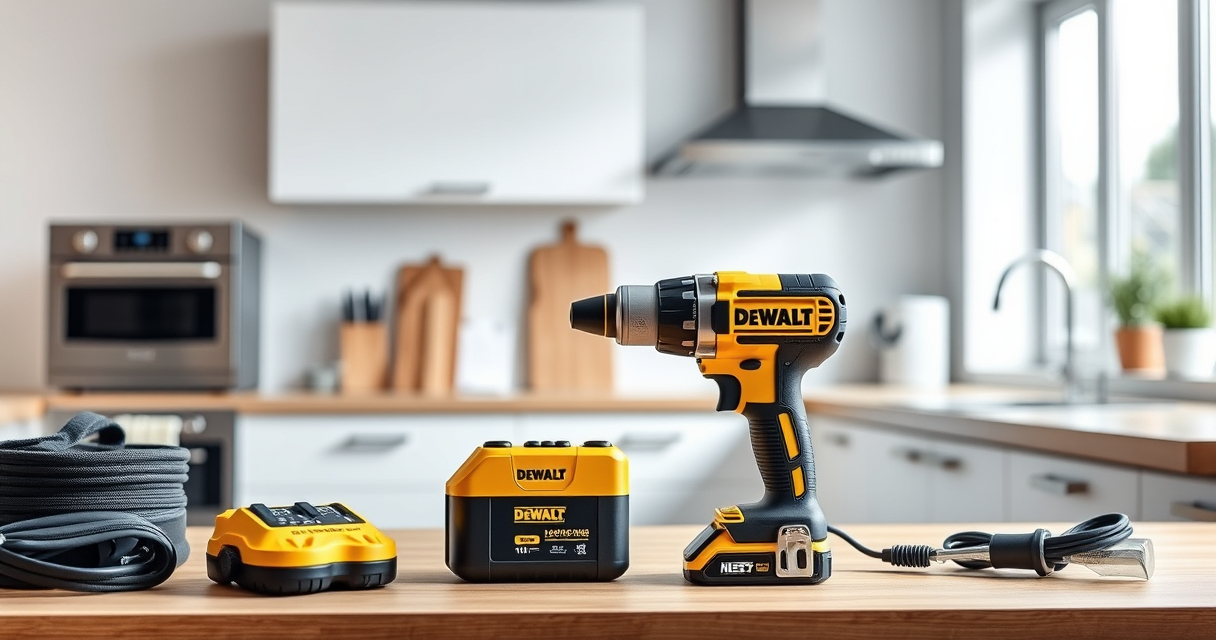

Proper maintenance of your DEWALT power tools is essential for ensuring they perform reliably over time. Whether you’re dealing with a cordless drill or batteries, following practical steps can help prevent issues and extend the lifespan of your equipment.

Get business pricing on tools and workshop supplies
- Business-only prices and quantity discounts
- Tax-exempt purchasing
- Multiple users, one account, clear invoices
This guide provides clear, safe, and effective maintenance tips, troubleshooting advice, and best practices tailored specifically for DEWALT tools, including the popular 20V MAX Cordless Drill and Impact Driver.
Key Takeaways
| Regular Cleaning | Keep tools free of dust and debris to prevent operational issues. |
| Battery Care | Proper charging and storage extend battery life and performance. |
| Inspect and Replace Worn Parts | Check bits and components regularly for wear and replace as needed. |
| Safe Troubleshooting | Always disconnect power before inspecting or repairing tools. |
| Use Compatible Accessories | Ensure bits and batteries are compatible with your DEWALT model. |
Cleaning Your DEWALT Power Tools
- Unplug or remove batteries from the tool before cleaning.
- Use a dry or slightly damp cloth to wipe down the exterior surfaces.
- Remove dust from vents and motor areas using compressed air cautiously.
- Avoid using harsh chemicals that could damage plastic or electronic parts.
Maintaining Batteries for Peak Performance
- Charge batteries fully before initial use and avoid overcharging.
- Store batteries in a cool, dry place away from direct sunlight.
- Regularly check the LED indicator for charge status.
- Use only DEWALT-approved chargers to prevent damage.
Troubleshooting Common Issues
- Tool doesn’t start: Check if the battery is charged and properly connected.
- Reduced power or torque: Clean or replace worn bits; inspect for motor obstructions.
- Battery won’t charge: Test with a different charger or replace the battery if defective.
- Unusual noises or overheating: Stop use immediately, inspect for debris or damage, and seek professional repair if needed.
Replacing Worn Parts and Accessories
- Identify worn or damaged parts such as bits, chucks, or batteries.
- Remove old parts carefully, following your tool’s manual.
- Install new compatible parts, ensuring they fit securely.
- Test the tool to confirm proper operation after replacement.
Safety Tips for Maintenance and Repairs
- Always wear safety goggles and gloves during maintenance.
- Disconnect power sources before inspecting internal components.
- Use proper tools for disassembly and reassembly.
- Consult the user manual for specific maintenance procedures.
The Products in This Guide

DEWALT 20V MAX Cordless Drill and Impact Driver
- ✔ Battery Capacity: 20V MAX, 5Ah
- ✔ LED Light: Yes, 20-second delay
- ✔ Warranty: 3 years

DEWALT Drill Bit Set
- ✔ Tip Design: Split point
- ✔ Coating: Rust-resistant
- ✔ Shank Type: 3-flats
DEWALT 20V MAX Cordless Drill and Impact Driver
The DEWALT 20V MAX Cordless Drill and Impact Driver combo kit offers reliable performance with a compact design. Regular maintenance ensures longevity and optimal functioning, especially for busy DIYers and professionals.
Pros:
- Lightweight and ergonomic design
- Bright LED for visibility
- Variable speed control
- Quick-release hex chuck
Cons:
- Battery life may vary with heavy use
- Requires regular cleaning of vents
- Bits need periodic replacement
Best for: Home improvement, woodworking, and DIY projects
Not ideal for: Heavy-duty industrial use or prolonged continuous operation
Bottom line: A reliable, versatile drill combo ideal for most household and professional tasks.
DEWALT Drill Bit Set
Complement your DEWALT drill with this 14-piece drill bit set designed for plastic, wood, and metal. Its split point tip helps prevent walking, making your work more accurate.
Pros:
- High-speed steel construction
- Includes multiple sizes
- Rust-resistant coating
- Tapered web for durability
Cons:
- Only suitable for drilling, not impact driving
- Bits can wear with heavy use
- Storage case may not be very durable
Best for: General drilling tasks in home or workshop
Not ideal for: Heavy impact driving or masonry work
Bottom line: A versatile drill bit set that enhances precision and longevity.
Frequently Asked Questions
How often should I clean my DEWALT power tools?
Regular cleaning after each use helps prevent dust buildup and keeps the tools functioning smoothly. Focus on vents and moving parts.
Can I use any batteries with my DEWALT drill?
Only batteries compatible with the DEWALT 20V MAX system, such as the DCB205 5Ah batteries, should be used to ensure safety and performance.
What should I do if my drill overheats?
Stop using the drill immediately, allow it to cool down, and check for debris or damage. Regular cleaning and proper handling can prevent overheating.
How do I replace the chuck on my drill?
Consult your user manual for specific instructions, but generally, you need to loosen the chuck, remove it, and then screw on the replacement, tightening securely.
Keep Your DEWALT Tools in Prime Condition
Consistent maintenance and troubleshooting can significantly extend the life of your DEWALT power tools. With proper care, your equipment will remain reliable and ready for any project, big or small. Always follow safety guidelines and manufacturer instructions for best results.
Affiliate disclosure: As an Amazon Associate we earn from qualifying purchases. Prices and availability are accurate as of the time of publishing.
Fall yard work Picks

Halloween Inflatable Haunted House Maze – 20×20 ft with Removable Roof and Blower
As an affiliate, we earn on qualifying purchases.