TL;DR

Get business pricing on tools and workshop supplies
- Business-only prices and quantity discounts
- Tax-exempt purchasing
- Multiple users, one account, clear invoices
Home Depot’s Hubspace app brings controls for compatible smart-home devices from different product categories into one place. The app was featured at House Beautiful’s Whole Home in Charleston, where Home Depot presented an interactive lighting display and demonstrations; compatibility and setup depend on the devices used.
Home Depot’s Hubspace app was featured at House Beautiful’s Whole Home in Charleston, South Carolina, as a way to manage compatible smart-home devices across several product categories from a smartphone. The presentation included an interactive lighting installation called “The Color Canopy,” showing how connected lights could be used to create an experience as well as control everyday home functions.
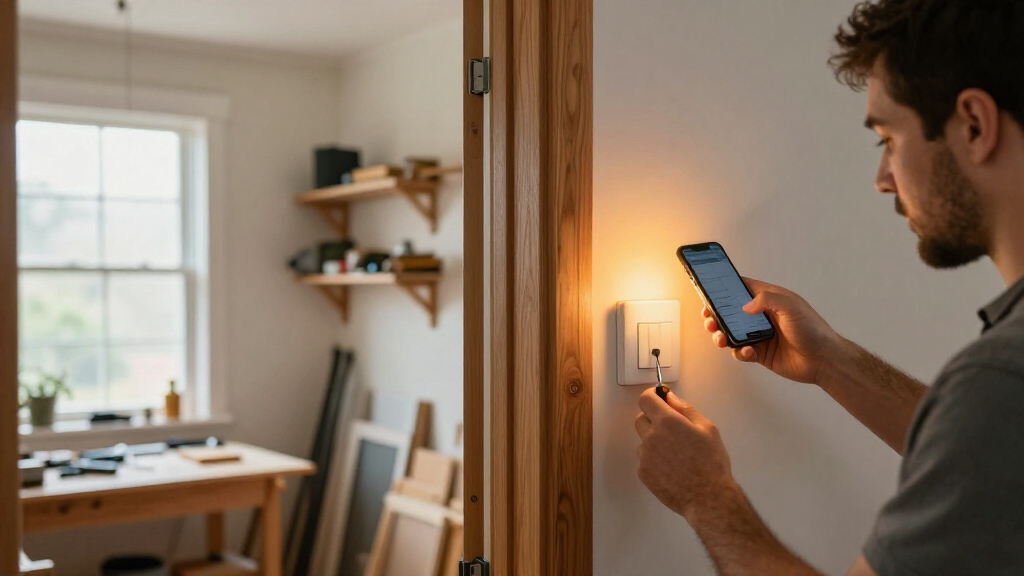
Hubspace is designed to bring controls for compatible products into a single app, rather than requiring users to manage each product category separately. House Beautiful reported that the system can work with devices including sprinklers, indoor outlets, thermostats, lights, fans, doors and locks. The report also described a “Vacation Mode” intended to simulate occupancy while residents are away. It did not specify the full range of supported products or the requirements for each feature.
The demonstration took place as part of Whole Home, a design project based in a luxury condominium in downtown Charleston. Designers shaped the interiors, while Home Depot’s contribution focused on connecting the home’s technology. House Beautiful said the app requires a smartphone, internet access and compatible devices; it did not describe the setup process or whether all functions work without an internet connection.
At a Home Depot-hosted pop-up for visitors, the company used Hubspace-controlled lighting to create “The Color Canopy,” an installation inspired by the Charleston sky. The event also included demonstrations involving app-connected lights, fans, doors and locks. The report presents this as a demonstration of the system’s possibilities, not evidence that every home or device can reproduce the installation in the same way.
One App Across Home Devices
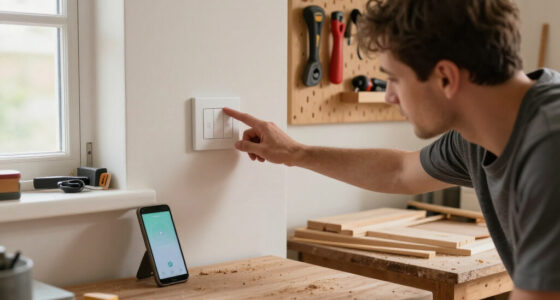
For homeowners, the practical appeal is centralized control: compatible devices from different parts of a home may be managed through one app instead of several separate controls. That could make everyday tasks—such as adjusting a thermostat, switching outlets or changing lighting—easier to handle from a phone, including when a user is away, subject to device compatibility and connectivity.
The Charleston showcase also frames smart-home technology as part of interior design, not only as a tool for security or convenience. Lighting that changes a room’s atmosphere can affect how a space feels, while connected fans, locks and other products bring functions into the same system. But the report does not establish that Hubspace works with every smart-home brand or that a single app can control every appliance in a household. Readers considering the system will need to check whether specific products are supported and what equipment or network access they require.
Home Depot Hubspace compatible smart light bulbs
As an affiliate, we earn on qualifying purchases.
As an affiliate, we earn on qualifying purchases.
How Hubspace Appeared at Whole Home
House Beautiful describes app-controlled home devices as an established category, with products already available for functions such as security, climate control and lighting. The development highlighted in its report is the effort to bring controls for a range of compatible products into Hubspace, including items sold across different home categories at Home Depot.
The magazine’s Whole Home project challenged participating designers to turn a Charleston condominium into a home with a distinct style and personality. Home Depot’s role was to connect devices within that designed setting. The article positions the app as a tool used in that project and showcased to visitors; it does not provide a launch date, pricing, or a detailed comparison with other smart-home platforms.
As an affiliate, we earn on qualifying purchases.
Compatibility and Setup Details
The supplied report does not list every Hubspace-compatible product, identify supported product brands in detail, or explain whether devices require a separate hub or other equipment. It also provides no information about subscription costs, privacy practices, data handling, or how the app behaves during an internet outage. Those details matter to anyone weighing a purchase or planning to connect devices already installed at home.
The article describes the “Vacation Mode” feature as simulating occupancy but does not say which devices it uses, whether users can customize its schedule, or how the feature interacts with existing security systems. The installation at Whole Home demonstrates a curated use of connected lighting; it does not confirm that all of the showcased effects are available through the app in a standard home setup.
Hubspace compatible smart thermostat
As an affiliate, we earn on qualifying purchases.
As an affiliate, we earn on qualifying purchases.
Check Devices Before Connecting
The immediate next step for interested homeowners is to confirm Hubspace compatibility for each product they plan to use and review the app’s current requirements before buying or connecting devices. The source report offers a showcase and examples, but it does not announce a new release date, a product expansion, or a future event.
Further details on supported products, setup, pricing and privacy would help clarify how the system fits into existing homes and other smart-home services. Until those details are available from Home Depot or product documentation, the Charleston display is best understood as a demonstration of Hubspace’s intended role: bringing controls for compatible devices together, with the exact experience depending on the products installed.
As an affiliate, we earn on qualifying purchases.
Key Questions
What is Home Depot’s Hubspace?
Hubspace is an app for controlling compatible smart-home products. House Beautiful’s report describes support across categories including lighting, thermostats, outlets, sprinklers, fans, doors and locks.
What did Home Depot show at Whole Home?
Home Depot presented “The Color Canopy,” an interactive lighting installation inspired by the Charleston sky, along with demonstrations of app-connected products. The event took place as part of House Beautiful’s Whole Home project in Charleston.
Can Hubspace control every smart-home device?
The report says the app works with compatible devices; it does not claim that Hubspace supports every brand or product. Check the listing or product documentation for compatibility before purchasing.
What does Hubspace Vacation Mode do?
House Beautiful describes Vacation Mode as a feature that simulates occupancy while someone is away. The report does not explain its settings, the devices it requires, or how it operates in detail.
What do homeowners need to use Hubspace?
The report identifies a smartphone, internet access and compatible devices as prerequisites. It does not provide details on additional equipment, costs, or operation during an internet outage.
Source: rss
Halloween Picks
halloween
As an affiliate, we earn on qualifying purchases.