TL;DR
You can generate a full publishing kit from a single video using local tools, avoiding cloud reliance. This approach speeds up workflows, enhances privacy, and keeps control in your hands. It’s becoming more feasible with new hardware and automation advances.
Imagine dropping a single video into your workspace and watching a whole suite of ready-to-publish assets emerge—thumbnails, captions, clips, summaries, even social posts. No waiting for uploads, no third-party servers, just instant, local control. That’s the promise behind a new wave of local-first video publishing tools.
Why does this matter? Because every creator, team, or enterprise faces a mountain of repackaging—hours of work, scattered across multiple platforms, with privacy hanging in the balance. A workflow that automates this, keeps everything on your machine, and speeds up the process can change everything. This isn’t sci-fi; it’s happening now, with hardware and software that make it possible to build a full publishing kit from one video—without ever touching the cloud.
Key Takeaways
- Local-first workflows turn one video into a complete publishing kit—captions, clips, thumbnails, and more—without cloud uploads.
- Automation now produces nearly every asset needed for multi-platform publishing, reducing manual effort and speeding your process.
- High-quality local AI hardware is making offline processing more powerful, private, and cost-effective—challenging cloud dominance.
- A fully local setup requires upfront investment in hardware but offers unmatched control, privacy, and speed.
- Despite advances, local workflows demand some technical knowledge and management—consider your needs and resources.
As an affiliate, we earn on qualifying purchases.
What does ‘one video in, a whole publishing kit out’ really mean?
This phrase describes a workflow where a single source video becomes a complete set of publish-ready assets. Think: captions, thumbnails, short clips, summaries, blog drafts, and social media posts—all generated automatically on your local machine. It’s like magic, but it’s really just smart automation that keeps your content private and your workflow smooth.
More importantly, this process reduces reliance on external servers, which means you’re not only gaining speed but also significantly boosting your privacy. When your data stays on your device, you eliminate risks associated with data breaches and third-party access. The tradeoff, however, is that setting up these systems requires initial technical effort, and high-quality results depend on powerful hardware. The implications are profound: it democratizes advanced content production, making it accessible to creators who might not have access to extensive cloud infrastructure, but it also demands a solid understanding of the tools involved.
As an affiliate, we earn on qualifying purchases.
What outputs can be generated automatically from your video?
Automation can produce almost every asset you need to publish—without manual work or cloud dependence. Here’s what’s possible:
- Captions and transcripts, perfectly timed and editable
- Short clips for TikTok, Reels, Shorts, or social ads
- Thumbnails based on high-retention moments
- Summaries and blog drafts, extracted from key points
- Metadata, tags, and descriptions optimized for SEO
- Chapter markers and on-screen text descriptions
Each of these outputs plays a crucial role in content dissemination. Captions improve accessibility and engagement, while well-crafted clips and thumbnails capture attention quickly in feeds. Summaries and metadata enhance discoverability, making sure your content reaches the right audience. The ability to generate these assets locally means you can iterate faster, maintain tighter control over your branding, and avoid delays caused by uploading or cloud processing. However, it’s essential to understand that tradeoffs include the need for sophisticated algorithms and powerful hardware to ensure quality and accuracy—especially as complexity grows. The implications are that creators can now build a seamless, end-to-end pipeline that is both private and highly customizable, but they must balance hardware costs and technical complexity against the benefits of speed and control.
As an affiliate, we earn on qualifying purchases.
How does a fully local workflow work—from start to finish?
Here’s a step-by-step look:
- Ingest: Drop your video file or paste a link. The system detects the channel and preloads relevant settings, reducing manual input and setup time.
- Understand: Background workers transcribe speech, analyze visuals, and fuse the data into a single timestamped log, noting scene cuts, text on screen, and spoken topics. This comprehensive understanding allows subsequent assets to be generated with context-aware accuracy, which is critical for maintaining content integrity and coherence.
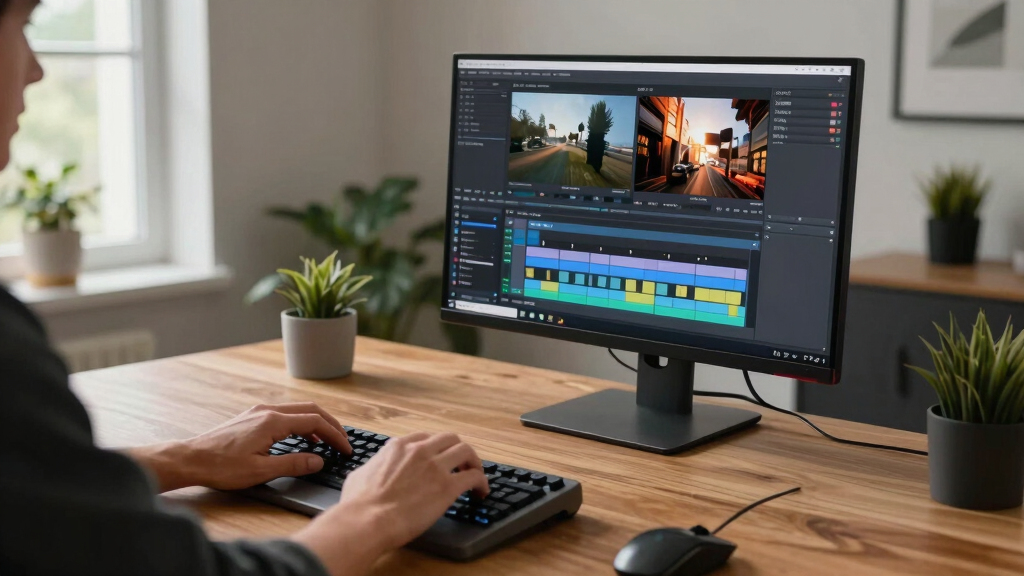
- Review: You review the drafts—titles, thumbnails, clips, and transcripts—on a local interface. Make edits, regenerate assets, or approve as-is. This step ensures quality control and customization, giving you the power to refine outputs based on your specific needs.
- Publish: Once approved, assets are dispatched to your platforms—YouTube, TikTok, Instagram, or blogs—without ever leaving your machine. This eliminates upload delays and potential security issues associated with cloud uploads, while also allowing for rapid iteration and testing.
This pipeline is designed to be fast, transparent, and controllable, with each step visible and editable on your local device. The key advantage is that it consolidates complex processes into a single, seamless workflow that can be tailored to your specific content and branding needs, all while maintaining maximum privacy and control. The tradeoffs involve initial setup complexity and hardware investment but pay off through increased speed, security, and independence from third-party services.

As an affiliate, we earn on qualifying purchases.
What can you generate automatically? A quick glance at outputs
Beyond basic transcription, modern tools can automatically craft a full suite of publishing assets:
| Asset Type | What It Does |
|---|---|
| Captions & Transcripts | Accurate, timed, and editable text versions of your video, essential for accessibility and SEO. These are generated by local speech recognition models that, with proper calibration, match cloud-based quality, ensuring your content remains private without sacrificing accuracy. |
| Short Clips | High-retention moments cut for social sharing, enabling rapid content repurposing. The ability to generate multiple clips from a single source accelerates distribution and testing of different formats, which is vital for optimizing engagement strategies. |
| Thumbnails | Eye-catching images based on key scenes, crafted to attract clicks. Local algorithms analyze scene composition and viewer engagement metrics to select the most compelling frames, balancing aesthetic quality with relevance. |
| Summaries & Articles | Briefs and drafts that capture your content’s essence, aiding in content planning and SEO. These are generated through local NLP models that understand the context, providing meaningful summaries without exposing your data externally. |
| Metadata & Tags | SEO-friendly descriptions, hashtags, and keywords. Properly generated metadata enhances discoverability, especially when tailored to your audience, and can be fine-tuned manually for maximum impact. |
| Chapter Markers | Segmented navigation for viewers, improving user experience. Local scene detection and speech analysis allow precise chaptering, making long-form content more accessible and engaging. |
These assets, generated locally, form a tightly integrated pipeline that maintains content privacy while offering the flexibility to customize or regenerate outputs quickly. This comprehensive automation reduces manual effort, speeds up publishing, and enhances control over your content ecosystem. The main implication is that creators no longer need to rely solely on cloud services to produce professional-grade assets, opening new possibilities for independent and small-scale creators alike.

What’s new in 2025? Local AI hardware and all-in-one publishing devices
The scene is shifting fast. New AI hardware designed for local media processing is making it easier than ever to do everything offline. Think: compact, powerful devices that handle video editing, AI enrichment, and publishing without cloud access. They’re not just faster—they’re more private and cost-effective.
For example, some of the latest products combine storage, routing, HDMI output, and AI processing into a single box. It’s like having your own mini media studio in a single device. According to recent market reports, these devices are reducing reliance on cloud services, cutting costs, and offering creators more control. The implications are significant: creators can now process, analyze, and publish entirely offline, which enhances security and reduces latency, enabling near real-time workflows. This hardware trend democratizes high-end production capabilities, making professional-grade tools accessible to smaller creators and teams without the need for expensive cloud subscriptions or complex server setups.
Addressing the common questions: How does it really work?
Many wonder: Does local processing really match cloud quality? Can I set it up myself? The answer is yes, with some caveats.
- **Accuracy**: Modern AI models are now highly capable—matching cloud services in transcription and visual analysis, especially with dedicated hardware. However, the quality depends on proper calibration and updates, which might require some technical knowledge but are manageable with good documentation.
- **Setup**: Initial setup requires some technical knowledge, but many solutions now come with user-friendly interfaces and good documentation. The tradeoff is that initial investment in learning is necessary, but once configured, the system operates smoothly and independently.
- **Offline operation**: Once configured, most workflows run entirely offline, with no ongoing internet needed. This enhances security and reliability, especially in sensitive environments.
- **Integrations**: Local tools can often export in standard formats compatible with existing publishing platforms, but integration with proprietary systems may require custom work. The broader implication is that well-designed local workflows can seamlessly fit into existing publishing pipelines, provided the right tools and formats are used.
In practice, a well-configured local system can produce professional results, often faster and more privately than cloud-based alternatives. The key is understanding the tradeoffs and ensuring your hardware and software are aligned with your content quality expectations.

What are the limits? Hardware costs, compute demands, and tradeoffs
While the promise is big, local workflows have limits. High-quality processing needs powerful hardware—think: high-end GPUs or dedicated AI chips—which can cost several thousand dollars. The investment can be a hurdle for small creators or those just starting out. Additionally, managing and maintaining these systems requires technical skills, which might be a barrier for some users. The tradeoff lies in weighing the upfront investment and ongoing maintenance against the benefits of speed, control, and privacy. For some, the cost might be justified by the ability to process sensitive content securely and rapidly, while others may prefer cloud solutions for their simplicity and lower initial costs. Ultimately, the decision hinges on your priorities: if privacy and speed are paramount, investing in robust local hardware makes sense; if ease and low upfront costs are more important, cloud-based workflows might still be preferable. The key takeaway is that while hardware costs and complexity are real considerations, ongoing advancements are gradually lowering barriers and expanding possibilities for local content automation.
Frequently Asked Questions
Can I really do everything offline, without internet?
Yes. Many modern local workflows are designed to operate entirely offline once set up, using powerful hardware to process video, generate assets, and prepare content for publishing without needing an internet connection.
What hardware do I need to run a full local publishing kit?
High-end GPUs, dedicated AI processing chips, or all-in-one devices are common options. The exact specs depend on your volume and quality needs, but expect to spend a few thousand dollars for a system capable of handling complex video analysis and automation.
How does quality compare to cloud services?
With recent advances, local AI models now match or even surpass cloud quality for transcription, visual analysis, and asset generation—especially when powered by dedicated hardware. The main difference is setup and control, not output quality.
Is the workflow suitable for solo creators or teams?
Both. Solo creators benefit from faster, private processing, while teams can automate large volumes, maintain control, and ensure brand consistency—all on their own hardware.
How much does it save in time and money?
While initial hardware costs are significant, ongoing savings come from avoiding cloud fees, reducing manual labor, and speeding up publishing cycles—often paying off after just a few projects.
Conclusion
Owning your video publishing process means having control from start to finish—fast, private, and tailored to your needs. As local AI hardware matures, the gap between cloud and local workflows narrows, making this more accessible than ever.
Imagine a future where your entire publishing pipeline fits comfortably on your desk—no endless uploads, no dependency on external servers, just pure creative freedom. That future is here, and it’s worth exploring.