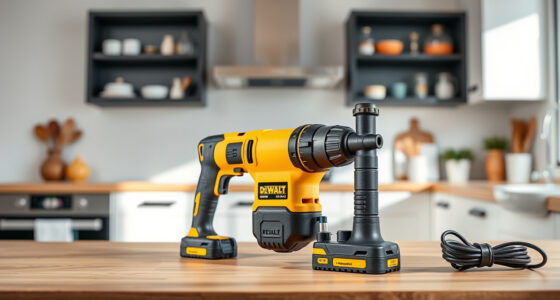

Dealing with a Milwaukee power tool that keeps stalling can be frustrating and hinder your project progress. This guide provides clear, practical steps to identify and resolve common issues causing stalling, ensuring your tools operate smoothly and safely.

Get business pricing on tools and workshop supplies
- Business-only prices and quantity discounts
- Tax-exempt purchasing
- Multiple users, one account, clear invoices
Before starting, ensure you have safety gear, including gloves and eye protection, and work in a well-ventilated area. Always disconnect the tool from power before troubleshooting or performing maintenance.
Key Takeaways
| Battery Check | Ensure batteries are fully charged and properly connected. |
| Inspect Brushes | Worn brushes can cause electrical interruptions leading to stalling. |
| Clean Ventilation | Clear vents and airflow paths to prevent overheating. |
| Examine the Trigger | Faulty or dirty triggers can cause inconsistent power flow. |
| Test the Motor | A failing motor may need replacement or repair. |
Check and Replace Batteries
- Remove the batteries from the tool and inspect for any visible damage or corrosion.
- Use a multimeter to verify the voltage of each battery; it should match the specifications (e.g., 18V for Milwaukee M18 batteries).
- If batteries are low or not holding charge, replace them with new high-capacity batteries like the Milwaukee 48-11-1850R or Milwaukee M18 REDLITHIUM HIGH Output XC 6.0Ah.
- Reinstall the batteries and test the tool’s operation.
Inspect and Clean the Brushes
- Remove the motor cover according to your tool’s manual.
- Locate the brushes; they are usually near the commutator.
- Check for wear; if brushes are less than 1/4 inch or damaged, replace them.
- Clean the brush holders and contact points with a soft brush or cloth.
- Reassemble and test the tool.
Clear Ventilation and Overheat Protection
- Inspect air vents and remove any dust, debris, or obstructions.
- Allow the tool to cool if it has overheated; avoid continuous operation beyond recommended durations.
- Consider using a cooling fan or working in a shaded area during heavy-duty tasks.
Examine and Test the Trigger Switch
- Ensure the trigger is clean and free of debris or paint that could interfere with contact.
- Test the switch for proper operation by pressing and releasing; it should have a firm, consistent feel.
- If faulty, replace the trigger switch or have it repaired by a professional.
Assess the Motor and Internal Components
If the above steps don’t resolve the issue, the motor may be worn or damaged. Consult a professional for testing and possible replacement of the motor or internal brushes. Regular maintenance and prompt repairs extend your tool’s lifespan and prevent stalling issues.
The Products in This Guide

Milwaukee M18 18V Cordless Power Tool Combo Kit
- ✔ Weight: Variable
- ✔ Warranty: Manufacturer warranty
- ✔ Application: Drilling, driving, cutting

Milwaukee Shockwave 100pcs Impact Driver Bit Set Packout
- ✔ Weight: Varies
- ✔ Color: Black/Red
- ✔ Size: Impact-rated bits
Milwaukee M18 18V Cordless Power Tool Combo Kit
The Milwaukee M18 18V Cordless Power Tool Combo Kit offers a comprehensive set of tools with reliable performance. Proper maintenance and troubleshooting can keep your tools running smoothly.
Pros:
- Includes 8 essential tools
- 3 batteries for extended use
- Compact and portable
- Charger included
Cons:
- Battery life may vary with usage
- Tools may require occasional maintenance
- No dedicated storage case for individual tools
Best for: Construction, remodeling, and maintenance tasks requiring versatility and power
Not ideal for: Advanced repairs or motor replacements should be handled by professionals
Bottom line: A versatile, reliable kit suitable for most professional applications.
Milwaukee Shockwave 100pcs Impact Driver Bit Set Packout
Pair your Milwaukee tools with the Shockwave Impact Driver Bit Set for durable, reliable bits that stand up to heavy-duty use. It’s a perfect addition for faster task completion.
Pros:
- 100 impact driver bits
- Packout case for organization
- Durable and long-lasting
- Compatible with Milwaukee tools
Cons:
- Bits may wear over time
- Case size can be bulky
- Limited to impact driver applications
Best for: Rapid screw driving and fastening tasks
Not ideal for: Light-duty or occasional DIY projects
Bottom line: A comprehensive bit set that boosts your Milwaukee tool versatility.
Frequently Asked Questions
Why does my Milwaukee power tool keep stalling during use?
Common causes include low or faulty batteries, worn brushes, overheating, dirty triggers, or internal motor issues. Follow the troubleshooting steps to identify and fix the problem.
Can I repair the motor myself?
Motor repairs can be complex and may require specialized tools. It’s best to consult a professional or authorized service center for motor-related issues.
How often should I replace the brushes in my Milwaukee tool?
Inspect the brushes regularly, especially if you notice stalling or decreased performance. Replace them when they are less than 1/4 inch or visibly worn to maintain optimal operation.
What safety precautions should I take during troubleshooting?
Always disconnect the tool from power before inspection, wear safety gear, work in a well-ventilated area, and handle internal components carefully to avoid injury.
Keeping Your Milwaukee Tools Running Smoothly
Regular maintenance and prompt troubleshooting are key to preventing stalling issues in your Milwaukee power tools. By following these steps, you can extend the life of your tools and keep them performing at their best, ensuring safe and efficient work on every project.
Affiliate disclosure: As an Amazon Associate we earn from qualifying purchases. Prices and availability are accurate as of the time of publishing.
Fall Picks
fall essentials
As an affiliate, we earn on qualifying purchases.