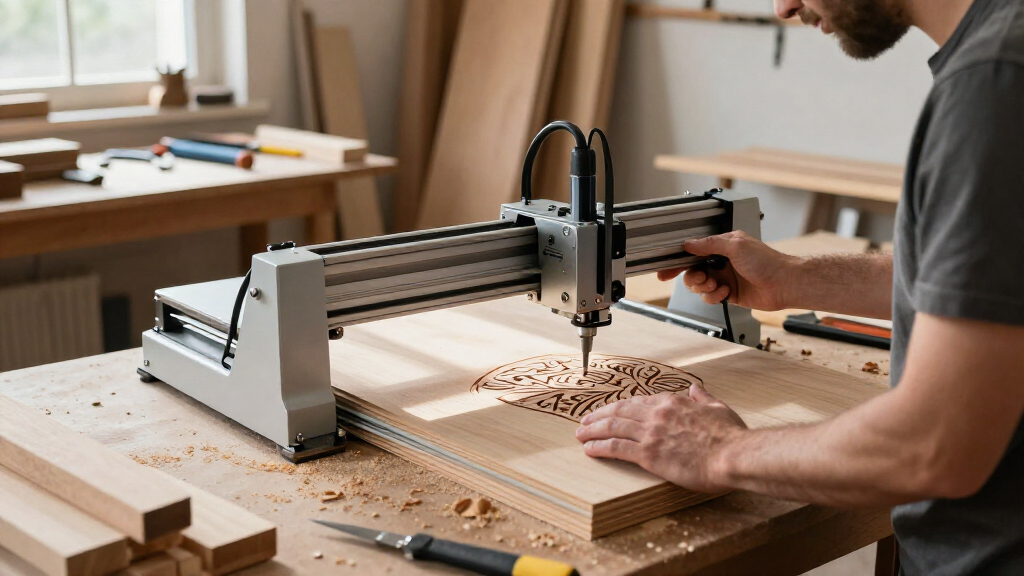

For the best modular laser engravers, the xTool F1 Ultra is my best overall pick: its 20W fiber and diode lasers cover a broader mix of materials than a single-source machine. The xTool F2 Ultra stands out for buyers who need more specialized power and material options, while the Ortur R1 favors compact, foldable convenience with a lower-power infrared laser. The main tradeoffs are laser versatility versus the cost and complexity of multiple sources, plus work area, enclosure, and portability. A modular design only helps when its modules suit the materials and jobs you actually plan to run. Read on for how I rank all six options and which one fits your workshop.

Get business pricing on tools and workshop supplies
- Business-only prices and quantity discounts
- Tax-exempt purchasing
- Multiple users, one account, clear invoices
Complete the kit


Key Takeaways
- Dual laser sources make the xTool F1 Ultra and F2 Ultra the most adaptable picks, but their added capability is only useful if your projects call for both laser types.
- The F2 Ultra is the premium, specialized choice in this group, pairing a 60W MOPA fiber laser with a 40W diode rather than prioritizing compactness or simplicity.
- The Creality Falcon T1 options serve different needs: the 20W fiber model focuses on fiber work, while the enclosed version pairs a 40W diode with a more contained setup.
- The Ortur R1’s foldable form is its distinguishing advantage; its 1000 mW, 1064 nm infrared source is a narrower proposition than the higher-powered dual-laser machines.
- Modularity is not a guarantee of easy upgrades: compare included laser sources, enclosure design, workspace demands, and supported add-ons before choosing.
| Creality Falcon T1 20W Fiber Laser Engraver |  | Best for Modular Expansion | Included laser module: 20W fiber | Supported interchangeable technologies: 20W diode, 40W diode, 20W fiber, 5W UV, 60W MOPA | Maximum engraving speed: 10,000 mm/s | VIEW LATEST PRICE | See Our Full Breakdown |
| Ortur R1 Foldable Class 1 Laser Engraver with 1000 mW 1064 nm Infrared Laser |  | Best Compact Pick | Laser power: 1000 mW | Laser wavelength: 1064 nm infrared | Laser classification: Class 1 | VIEW LATEST PRICE | See Our Full Breakdown |
| xTool F2 Ultra 60W MOPA Fiber and 40W Diode Dual Laser Engraver |  | Best Premium Production Pick | Fiber laser: 60W MOPA | Diode laser: 40W | Laser class: Class 4 | VIEW LATEST PRICE | See Our Full Breakdown |
| xTool F1 Ultra 20W Fiber and Diode Dual Laser Engraver |  | Best for Batch Work | Laser types and power: 20W fiber and 20W diode | Maximum speed: 10,000 mm/s | Camera: 16MP | VIEW LATEST PRICE | See Our Full Breakdown |
| xTool F2 Dual-Laser Engraver, 5W IR and 15W Diode |  | Best Compact Dual-Laser Pick | Laser power: 5W IR and 15W diode | Maximum speed: 6,000 mm/s | Camera and alignment: 50MP camera; up to 0.1 mm alignment accuracy | VIEW LATEST PRICE | See Our Full Breakdown |
| Creality Falcon T1 Enclosed Laser Engraver with 40W Diode Module |  | Best for Modular Expansion | Laser module included: 40W diode | Supported modules: Diode 20W/40W, Fiber 20W, MOPA 60W, UV 5W | Maximum engraving speed: 10,000 mm/s | VIEW LATEST PRICE | See Our Full Breakdown |
| modular laser engraver | Maximum speed |
|---|---|
| Creality Falcon T1 20W Fiber L | — |
| Ortur R1 Foldable Class 1 Lase | — |
| xTool F2 Ultra 60W MOPA Fiber | 15,000 mm/s |
| xTool F1 Ultra 20W Fiber and D | 10,000 mm/s |
| xTool F2 Dual-Laser Engraver | 6,000 mm/s |
| Creality Falcon T1 Enclosed La | — |
More Details on Our Top Picks
Creality Falcon T1 20W Fiber Laser Engraver
The Falcon T1 is the lineup’s clearest choice for buyers who want a machine that can change jobs as their material mix evolves. Its platform supports interchangeable fiber, diode, UV, and MOPA modules, though this configuration includes a 20W fiber module rather than every laser type. That flexibility gives it a broader upgrade path than the Ortur R1, which is a lighter, foldable specialist built around one 1064 nm infrared laser. The T1 also pairs a Class 1 enclosure with flame detection and an emergency stop, while its 10,000 mm/s top speed and batch-processing support suit repeat work. The tradeoff is its 66-pound desktop footprint, and performance changes with the installed module. Buyers should check which modules and accessories their chosen package actually includes.
Pros:- Supports interchangeable diode, fiber, UV, and MOPA modules for a flexible upgrade path.
- Class 1 enclosure includes flame detection and an emergency stop.
- Up to 10,000 mm/s engraving speed and batch processing suit repeat jobs.
- Compatible with both Falcon Design Space and LightBurn.
Cons:- The selected package includes only one laser module, so other capabilities require additional modules.
- Engraving performance and repeat accuracy vary by installed module.
- At 66 pounds, it is much less portable than the foldable Ortur R1.
Best for: Makers and small workshops that plan to switch between material types and want to add laser technologies over time.
Not ideal for: Portable-workflow buyers or anyone who needs several laser types in the box immediately; the machine weighs 66 pounds and this package includes only one module.
- Included laser module:20W fiber
- Supported interchangeable technologies:20W diode, 40W diode, 20W fiber, 5W UV, 60W MOPA
- Maximum engraving speed:10,000 mm/s
- Repeat accuracy:Down to 0.001 mm, module dependent
- Safety class:Class 1
- Controls and software:Touchscreen; Falcon Design Space and LightBurn
- Weight and form:66 pounds; desktop
- Safety and workflow features:Auto focus, flame detection, emergency stop, intelligent monitoring, batch processing
Our verdict“Choose the Falcon T1 if modular expansion matters more than portability or having multiple laser modules included at once.”
Ortur R1 Foldable Class 1 Laser Engraver with 1000 mW 1064 nm Infrared Laser
For a buyer short on workspace, the Ortur R1 makes a different modularity tradeoff: it favors a foldable, ready-to-use form over interchangeable laser modules. Its 1000 mW, 1064 nm infrared laser is aimed at marking materials such as metal and jewelry, with app tools for text, drawings, and QR codes. That makes it easier to store and simpler to approach than the larger Creality Falcon T1, whose appeal is its path to multiple laser technologies. The R1’s Class 1 classification, tilt detection, and automatic shutdown add useful safeguards for a compact setup. But its single laser limits the range of jobs compared with the dual-laser xTool F2, and the supplied information gives little detail on production features or expansion options. Treat it as a portable specialist, not a modular workshop hub.
Pros:- Foldable design needs no installation and stores more easily than desktop systems such as the Creality Falcon T1.
- 1064 nm infrared laser supports marking metal and jewelry alongside several other listed materials.
- App includes tools for drawing, text, and QR code engraving.
- Class 1 design includes tilt detection and automatic shutdown.
Cons:- A single 1000 mW infrared laser offers less application flexibility than dual-laser models such as the xTool F2.
- The supplied product details do not establish interchangeable modules or production-oriented batch features.
- Small, compact format is a poor fit for buyers handling larger workpieces.
Best for: Home makers, jewelry sellers, and occasional users who need a compact engraver for small metal and mixed-material projects.
Not ideal for: Buyers seeking interchangeable laser modules, larger production capacity, or detailed expansion options; the R1 is a single-laser compact machine.
- Laser power:1000 mW
- Laser wavelength:1064 nm infrared
- Laser classification:Class 1
- Design and control:Foldable; app-controlled
- Listed materials:Metal, leather, plastic, acrylic, glass, stone
- Dimensions:10.71 × 9.84 × 8.58 inches
- Weight:7.72 pounds
- Warranty:365 days
Our verdict“Pick the Ortur R1 for compact, app-led metal marking, but choose a dual-laser or interchangeable-module machine for broader work.”
xTool F2 Ultra 60W MOPA Fiber and 40W Diode Dual Laser Engraver
The F2 Ultra is the lineup’s high-capacity choice for workshops that need both serious metal marking and diode-laser work. Its 60W MOPA fiber and 40W diode combination supports color and 3D engraving alongside work on wood, acrylic, leather, and other listed materials. At up to 15,000 mm/s, it has a higher stated top speed than the xTool F1 Ultra, while dual 48MP AI cameras help position material and support detection workflows. The 8.7 × 8.7-inch bed can extend to 8.7 × 19.7 inches with the auto conveyor, a useful route to longer pieces or repeated batches. That conveyor is an add-on, not part of the stated work area, and the Class 4 laser requires appropriate safety controls. Compared with the compact xTool F2, this is a heavier, more production-oriented system rather than a space-saving desktop pick.
Pros:- Combines a 60W MOPA fiber laser with a 40W diode laser for varied material workflows.
- Supports color and 3D engraving, expanding its metal-marking capabilities.
- Up to 15,000 mm/s speed and dual 48MP AI cameras support fast positioning and repeat work.
- Auto conveyor can extend the work area for longer pieces.
Cons:- Class 4 operation calls for appropriate safety precautions and a controlled workspace.
- The expanded 8.7 × 19.7-inch work area requires the separately specified auto conveyor.
- At 67.9 pounds, it is less convenient to move than the 10-pound xTool F2.
Best for: Established maker businesses and production workshops that need fast metal marking, color engraving, and a diode laser for nonmetal jobs.
Not ideal for: Casual users or shared home spaces without Class 4 laser safeguards; also skip it if you need an expanded bed without buying the auto conveyor.
- Fiber laser:60W MOPA
- Diode laser:40W
- Laser class:Class 4
- Maximum speed:15,000 mm/s
- Camera system and positioning accuracy:Dual 48MP AI cameras; 0.2 mm
- Work area:8.7 × 8.7 inches; 8.7 × 19.7 inches with auto conveyor
- Maximum listed cutting thickness:2 mm metal, 20 mm acrylic, 23 mm wood
- Dimensions and weight:16.88 × 11.57 × 20.51 inches; 67.9 pounds
Our verdict“Choose the F2 Ultra for demanding, varied production work if you can accommodate its Class 4 safety needs and add-on conveyor.”
xTool F1 Ultra 20W Fiber and Diode Dual Laser Engraver
The F1 Ultra fits buyers who want a dual-laser setup for repeatable jobs but do not need the F2 Ultra’s higher stated power and speed. Its 20W fiber and 20W diode lasers cover metal and nonmetal engraving, while the 16MP camera helps with material recognition and positioning. The 220 × 220 mm work area is roomier than the compact xTool F2’s listed footprint, and an optional conveyor can stretch it to 220 × 500 mm for batch workflows. Compared with the xTool F2 Ultra, though, the F1 Ultra tops out at 10,000 mm/s rather than 15,000 mm/s and has less powerful laser modules. The enclosed cover, smoke extraction, alarm, and emergency stop add practical safeguards, but this remains a Class 4 laser; enclosure features do not remove the need for careful operation. The conveyor is sold separately.
Pros:- Fiber and diode lasers cover metal and a broad set of nonmetal engraving tasks.
- 16MP camera supports material recognition and batch positioning.
- Enclosed design includes smoke extraction, a fire safety alarm, and an emergency stop.
- Optional conveyor extends the work area from 220 × 220 mm to 220 × 500 mm.
Cons:- Its 10,000 mm/s maximum speed is below the xTool F2 Ultra’s stated 15,000 mm/s.
- The optional Auto Conveyor is sold separately.
- Class 4 classification calls for careful safety practices despite the enclosure.
Best for: Small businesses and makers producing repeat metal and nonmetal items who want camera-assisted positioning and an optional longer-workpiece workflow.
Not ideal for: Buyers prioritizing maximum speed, higher laser power, or a ready-to-use extended bed; the F2 Ultra is faster, and the conveyor is sold separately.
- Laser types and power:20W fiber and 20W diode
- Maximum speed:10,000 mm/s
- Camera:16MP
- Working area:220 × 220 mm; 220 × 500 mm with optional conveyor
- Maximum listed cutting thickness:15 mm wood; 12 mm black acrylic
- Safety features:Enclosed cover, smoke extraction, fire safety alarm, emergency stop
- Weight and dimensions:43.8 pounds; 18 × 17 × 24 inches
- Warranty:1 year
Our verdict“Choose the F1 Ultra for camera-assisted batch work with dual lasers, unless you need the F2 Ultra’s greater power and speed.”
xTool F2 Dual-Laser Engraver, 5W IR and 15W Diode
The xTool F2 packs two laser types and a positioning camera into a notably light, preassembled unit, making it the most portable dual-laser option here. Its 5W infrared and 15W diode lasers handle a range of materials, with listed support for metal color marking and 3D embossing. The 50MP camera and up-to-0.1 mm alignment accuracy are aimed at placing designs precisely, while 6,000 mm/s is a capable stated speed for small jobs. Compared with the larger xTool F1 Ultra, the F2 is easier to move and takes less space, but its laser power and maximum speed are lower. It also lacks the F1 Ultra’s listed smoke extraction system, and its Class 4 classification still calls for careful safety practices. Optional purifier and productivity accessories may add expense and setup needs.
Pros:- Combines infrared and diode lasers for varied materials, including metal color marking and 3D embossing.
- 50MP camera and up-to-0.1 mm alignment accuracy support precise placement.
- Preassembled and listed at 4.6 kg, making it easier to move than the xTool F1 Ultra.
- Supports batch processing with optional accessories.
Cons:- Its 6,000 mm/s maximum speed is lower than the F1 Ultra’s 10,000 mm/s.
- Optional purifier and productivity accessories may be needed for particular indoor or batch workflows.
- Class 4 classification requires careful safety practices.
Best for: Mobile makers, craft sellers, and small-workspace users who want a portable, preassembled dual-laser machine for varied small projects.
Not ideal for: High-volume shops or buyers prioritizing maximum speed, stronger laser output, or built-in smoke extraction; the F1 Ultra is better suited to larger batch workflows.
- Laser power:5W IR and 15W diode
- Maximum speed:6,000 mm/s
- Camera and alignment:50MP camera; up to 0.1 mm alignment accuracy
- Motion accuracy:0.00199 inches
- Supported materials:300+
- Weight and dimensions:4.6 kg (also listed as 10 pounds); 6.89 × 9.33 inches (L × W)
- Safety classification:Class 4
- Included items and warranty:Machine, base plate, base material kit; 1 year
Our verdict“Pick the xTool F2 for portable dual-laser flexibility and camera-guided small jobs, not maximum production speed.”
Creality Falcon T1 Enclosed Laser Engraver with 40W Diode Module
I’d pick the Falcon T1 for a buyer who wants one enclosed galvo platform that can take on different material jobs as their needs change. It comes with a 40W diode module for materials such as wood, leather, cardboard, and acrylic, while support for fiber, MOPA, and UV modules creates a broader upgrade path than the Ortur R1, which uses a 1064 nm infrared laser. Its 10,000 mm/s maximum engraving speed and camera-based autofocus also favor fast, repeatable workflows over a slower, more hands-on setup. The tradeoff is that modularity does not mean instant switching: only one module runs at a time, and modules and lenses are not hot-swappable. At 54.3 pounds, it is also a substantial machine, despite its enclosed format.
Pros:- Interchangeable diode, fiber, MOPA, and UV module support gives it a wider upgrade path than single-wavelength options.
- 10,000 mm/s maximum engraving speed suits production-minded users prioritizing fast galvo marking.
- Camera-based AI autofocus and mobile monitoring can reduce setup effort and help users check jobs remotely.
- Enclosure, flame detection, tilt/drop emergency stop, and door interlock add multiple layers of protection.
Cons:- Only one module can be used at a time, so it cannot perform different laser processes simultaneously.
- Modules and lenses are not hot-swappable, making changes less convenient for workflows that alternate between materials.
- Its 54.3-pound weight makes relocation harder than the compact format may suggest.
Best for: Makers and small shops that want an enclosed diode engraver now, with the option to add fiber, MOPA, or UV capability for different materials later.
Not ideal for: Buyers who need quick, frequent laser changes during a single workflow, or who want a lightweight machine that is easy to move between workspaces.
- Laser module included:40W diode
- Supported modules:Diode 20W/40W, Fiber 20W, MOPA 60W, UV 5W
- Maximum engraving speed:10,000 mm/s
- Module swap time:15 seconds
- Focus system:Camera-based AI autofocus
- Safety features:Flame detection, tilt/drop emergency stop, door interlock
- Dimensions:12 x 19 x 18 inches
- Weight:54.3 pounds
Our verdict“Choose the Falcon T1 if you want a fast, enclosed diode engraver with a clear path to other laser types and can accept deliberate, non-hot-swappable module changes.”
How We Picked
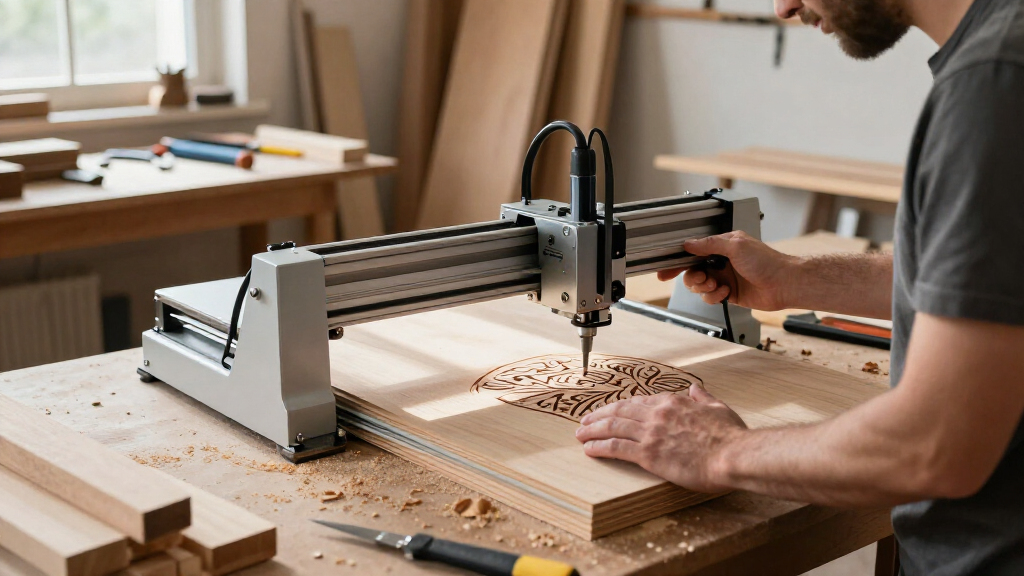
I ranked these machines by how well their modular design translates into useful choices for real projects. I compared laser type and stated power, the range of materials each configuration is positioned to handle, enclosure and portability, and how much flexibility comes from included modules rather than optional upgrades. I also weighed the practical cost of added complexity: extra laser sources can expand capability, but they may bring a larger machine, more setup decisions, and a steeper learning curve.
The xTool F1 Ultra ranks first because its fiber-and-diode pairing gives it a strong balance of versatility and focused capability. The F2 Ultra follows for its higher-end MOPA fiber and diode combination, but its specialist profile makes it less suitable as a general recommendation. The remaining picks rank by narrower strengths: the Falcon T1 fiber model for fiber-centered work, the enclosed 40W diode Falcon for a contained diode setup, the xTool F2 for a lower-power dual-source configuration, and the foldable Ortur R1 for buyers who put portability ahead of broad material coverage. These are comparisons of stated specifications and product positioning, not claims of hands-on testing.
Factors to Consider When Choosing Best Modular Laser Engravers
Before choosing a modular engraver, I would match the machine to the work rather than treating a larger power figure or extra module as automatic value. These decisions shape what a modular setup can do, how comfortable it is to operate, and whether future additions will be worthwhile.
Match the Laser Source to Your Materials
Start with a list of the materials and finishes you expect to engrave, then check which laser source is specified for those jobs. Fiber, diode, infrared, and MOPA configurations are not interchangeable just because a machine is modular. A dual-source model can cover more use cases, but it does not mean every source handles every material equally well. A common mistake is buying on wattage alone without checking wavelength, laser type, and the manufacturer’s material guidance. If your work is mostly one material family, a focused single-source machine may be simpler to set up and operate. Pay for multiple sources when you have a real need to switch between the kinds of work they support.
Check What Modularity Actually Includes
“Modular” can refer to interchangeable laser heads, compatible accessories, an expandable frame, or simply a product family with different configurations. Check the exact bundle and machine version rather than assuming optional modules come in the box. Also verify whether adding a source requires tools, calibration, software changes, or a separate accessory. A low entry configuration can become less appealing if the module you need is a separate purchase or difficult to swap. Ask how the machine handles alignment and settings after a change, since setup friction can discourage frequent switching. The best modular system is the one whose expansion path matches your expected projects.
Plan for Enclosure, Ventilation, and Workspace
An enclosure can help contain the work area, but it does not remove the need to follow ventilation and laser-safety instructions. Compare the machine’s footprint with the clearance needed to load materials, access controls, and connect any extraction equipment. Foldable designs such as the Ortur R1 address storage and portability differently from larger enclosed or dual-laser systems. Buyers sometimes measure only the machine body and overlook room for cables, airflow, and the workpiece itself. Think about where the engraver will live between jobs as well as where it will run. If a compact or enclosed setup is a priority, weigh that benefit against the laser capability and working format you would give up.
Treat Power as One Part of Performance
Higher stated wattage can matter, but it does not by itself predict finish quality, material compatibility, or productivity for every job. Laser type, optical setup, motion system, software controls, and the material all affect the result. Compare specifications within the same laser category where possible instead of treating a diode wattage and a fiber wattage as direct equivalents. For repeat work, consider whether the machine supports the workflow and accessories your projects require, not just whether it can mark a sample material. Check the maker’s current guidance for cutting or engraving claims before planning a project around them. Choose the least complicated configuration that can reliably cover your workload.
Budget for the Whole Setup, Not Just the Engraver
A modular laser setup can call for added space, ventilation, safety equipment, fixtures, and software or accessories. Those needs vary with the machine and the work, so check the manufacturer’s instructions and included contents before comparing configurations. A bundle that appears ready to use may still need workspace changes or project-specific add-ons. Buyers focused on value should compare what is included and what expansion would cost them in effort and equipment, not just count the laser sources. If you are new to engraving, a simpler package with a clear intended use may be easier to manage than a machine with unused capabilities. Spend on the features that remove a real constraint in your workflow.
Choose for the Work You Will Repeat
List your likely projects by frequency, material, and size before selecting a machine. Occasional small jobs may favor portability or a simpler configuration, while a varied workflow can make dual sources more useful. Also think about whether you need to move the machine, leave it installed, or store it between sessions. A frequent error is buying for a rare future project and accepting daily complexity for capability that rarely gets used. If you expect to expand, confirm that the specific model supports the modules and accessories you have in mind. A good fit is the machine that covers your regular work and leaves a sensible path for the next step.
Frequently Asked Questions
Is a dual-laser engraver worth choosing if I mostly work with one material?
Usually, not by default. A second source adds flexibility, but it can also add setup choices and expense that do little for a workflow centered on one material family. First confirm that the second laser supports a specific project you expect to do, rather than buying it for hypothetical versatility. If your work changes later, check whether the machine supports a compatible add-on or separate configuration. For a mostly single-material workflow, a suitable focused machine may be the more practical choice.
What is the difference between the xTool F1 Ultra and the xTool F2 Ultra for a mixed-material workflow?
Both pair fiber and diode sources, but their configurations are aimed at different levels of capability. The F1 Ultra combines a 20W fiber laser with a diode source and is my more balanced general recommendation in this lineup. The F2 Ultra pairs a 60W MOPA fiber laser with a 40W diode, giving it a more specialized, higher-powered profile. That does not make it the right choice for every mixed-material user: consider the actual materials, project demands, workspace, and setup complexity you need. Choose the F2 Ultra when its particular configuration serves a clear workload, not simply because its figures are higher.
Should I choose the enclosed Creality Falcon T1 or the foldable Ortur R1 for a small workspace?
They solve different space problems. The Falcon T1 with a 40W diode is the enclosed option, which may better suit a fixed workspace where containment is a priority. The Ortur R1 is foldable and uses a 1000 mW, 1064 nm infrared laser, making storage and portability its distinguishing points. Neither feature removes the need to follow safety and ventilation guidance. Decide whether you need a machine that stays set up in a contained area or one that can be folded away, then verify the full operating footprint and required clearance.
Can I add another laser module later if I buy a single-source machine?
Do not assume that every model in a modular product family accepts every other laser source. Compatibility can depend on the exact machine version, mount, power requirements, software, and included accessories. Before buying, check the manufacturer’s documentation for supported modules and whether the addition requires a separate kit or setup changes. Also compare the total effort and equipment needed for a later upgrade with choosing a dual-source configuration now. A future-proofing plan is useful only when the upgrade path is confirmed and fits your likely projects.
Which of these engravers is the most sensible choice for a first-time buyer?
I would choose based on the first few materials and projects you plan to handle, rather than on the widest feature list. The enclosed Falcon T1 with a 40W diode offers a more contained diode-focused configuration, while the foldable Ortur R1 favors compact storage and a narrower infrared setup. The F1 Ultra brings more source flexibility, but that can mean more decisions for a beginner. Check the setup instructions, software workflow, safety requirements, and what comes in the exact package before deciding. A first machine should fit a clear use case and workspace, not leave you paying for modules you are unlikely to use.
Conclusion
For most buyers seeking flexibility across laser types, I recommend the xTool F1 Ultra as the best overall because its fiber-and-diode pairing balances range and practicality. The Creality Falcon T1 20W fiber model is my value-oriented pick for buyers whose work is centered on fiber engraving, while the xTool F2 Ultra is the best premium choice for projects that call for its 60W MOPA fiber and 40W diode configuration. For a first-time buyer who wants a more contained diode setup, I would look at the enclosed Falcon T1 with 40W diode; for limited storage or portability needs, the Ortur R1 is the distinct fit. Choose the xTool F2 dual-laser model if its 5W IR and 15W diode configuration matches your intended jobs, rather than expecting it to replace the higher-powered dual-laser options. My final advice: prioritize the materials and workspace you have now, then pay for modular expansion only when it solves a real need.
Fall Picks

Philips Hue Essential Starter Kit with Bridge and 4 E26 Smart Bulbs
As an affiliate, we earn on qualifying purchases.