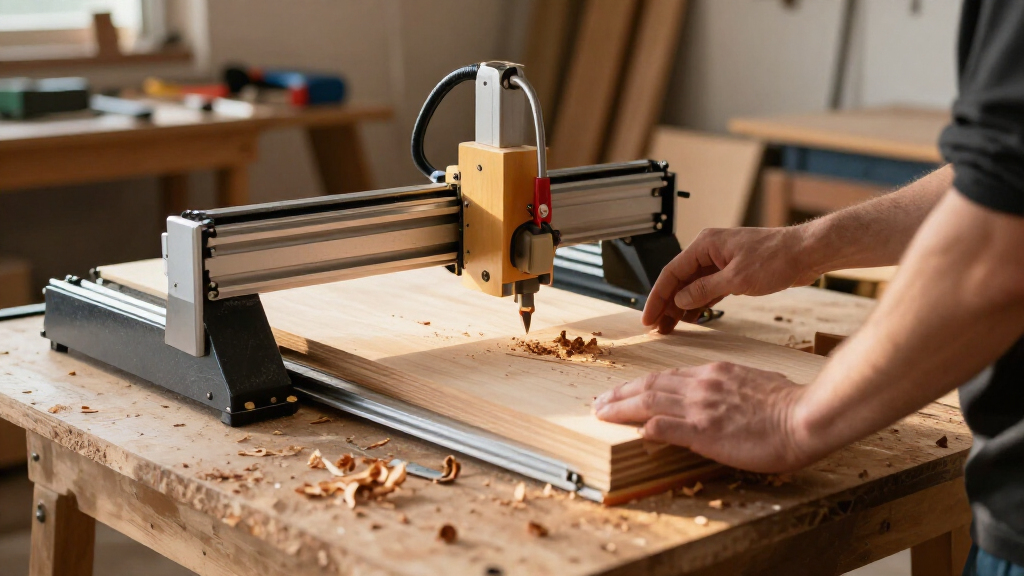
Choosing the best desktop CNC machines requires balancing rigidity, spindle power, and workflow simplicity against your budget. My analysis places the LUNYEE 4040 Nova at the top for its exceptional all-metal construction and 800W spindle, making it ideal for serious material removal. The Genmitsu 3018-PROVer V2 stands out as the superior entry-level choice due to its refined GRBL offline control and stable aluminum frame. Buyers often struggle with the tradeoff between working area and machine stiffness; smaller frames are rigid but limit project size, while larger frames can suffer from flex if not properly braced. Continue reading to see how these fifteen models stack up in performance, ease of use, and long-term value.

Get business pricing on tools and workshop supplies
- Business-only prices and quantity discounts
- Tax-exempt purchasing
- Multiple users, one account, clear invoices
Complete the kit


Key Takeaways
- The Genmitsu 3018-PROVer V2 dominates the sub-$300 category by replacing plastic components with metal rails and adding limit switches, solving the rigidity issues of older 3018 clones.
- Machines with NEMA 23 or NEMA 57 motors, such as the FoxAlien XE-Ultra and Twotrees TTC450 Pro, offer significantly higher torque than NEMA 17 models, allowing for deeper cuts without stalling.
- Enclosed models like the Carvera Air and Genmitsu Cubiko command a premium price but drastically reduce noise and contain dust, making them viable for home offices or apartments.
- Spindle power alone is a misleading metric; a 500W spindle on a rigid all-metal frame like the LUNYEE 3018 PRO MAX often outperforms a 710W spindle on a flimsy extruded frame.
- Offline control capability is becoming a standard expectation; models without it force reliance on a connected PC, which adds complexity and potential connection errors during long cuts.
| LUNYEE 3018 PRO MAX CNC Machine 500W |  | Best for Soft Metal Cutting | Spindle Power: 500W | Working Area: 300 x 180 x 80mm | Max Spindle Speed: 12,000 RPM | VIEW LATEST PRICE | See Our Full Breakdown |
| FoxAlien Masuter Pro 3-Axis CNC Router Machine |  | Best Value for General Purpose | Work Area: 400 x 400 x 60 mm | Spindle Power: 60W | Max Spindle Speed: 10,000 RPM | VIEW LATEST PRICE | See Our Full Breakdown |
| FoxAlien XE-Ultra 8080 CNC Router |  | Best Large Format Desktop | Working Area: 33 x 33 x 4.72 inches | Motor Type: Closed-Loop Stepper | Drive System: Ball Screws | VIEW LATEST PRICE | See Our Full Breakdown |
| Genmitsu 3018-PROVer V2 Desktop CNC Milling Machine |  | Best for Beginners | Working Area: 11.2 x 7.1 x 1.6 inches | Drivers: Toshiba TB6S109 | Setup Time: Approx. 35 minutes | VIEW LATEST PRICE | See Our Full Breakdown |
| Genmitsu 3020-PRO MAX V2 3-Axis CNC Router |  | Best Mid-Range Upgrade | Working Area: 11.8 x 8.1 x 3.1 inches | Frame Material: Reinforced Aluminum | Controller: Offline Controller | VIEW LATEST PRICE | See Our Full Breakdown |
| LUNYEE 4040 Nova CNC Router Machine, 800W |  | Best Value for Rigidity | Work Area: 400 × 400 mm | Spindle Power: 800 W | Motion System: HG15 linear rails, ball screws | VIEW LATEST PRICE | See Our Full Breakdown |
| Genmitsu 4040-PRO MAX CNC Router Machine with 710W Spindle |  | Best for Precision Engraving | Work Area: 410 x 405 x 77 mm | Spindle Power: 710 W | Motion System: SBR16 linear rails (X), Lead screw | VIEW LATEST PRICE | See Our Full Breakdown |
| Genmitsu 4040-PRO 3-Axis CNC Router Machine |  | Best Entry-Level Workhorse | Work Area: 435 x 400 x 80 mm | Drive System: Lead screw | Motion Supports: Dual 16 mm HSS steel tubes | VIEW LATEST PRICE | See Our Full Breakdown |
| Genmitsu Cubiko Desktop CNC Router with Enclosure |  | Best for Home Use and Safety | Dimensions: 13 x 13 x 12.48 inches | Power: 75 Watts | Key Features: Enclosure, Auto Z-probing | VIEW LATEST PRICE | See Our Full Breakdown |
| Twotrees TTC450 Pro All-Metal CNC Router Machine with NEMA 57 Stepper Motor |  | Best for Versatility and Expansion | Work Area: 460 x 460 x 80 mm | Control: 3.5″ Touch Screen, GRBL | Z-Axis Motor: NEMA 57 Stepper | VIEW LATEST PRICE | See Our Full Breakdown |
| LUNYEE 4040 Pro Max CNC Router Machine |  | Best for Structural Rigidity | Spindle Power: 800W | Working Area: 400 x 400 x 90 mm | Control System: GRBL 1.1F | VIEW LATEST PRICE | See Our Full Breakdown |
| Carvera Air Desktop CNC Machine by MAKERA |  | Best User Experience | Work Area: 11.8″ x 7.9″ x 5.1″ | Footprint: 19.7″ x 17.7″ x 17.7″ | Spindle Runout: < 0.0004 in | VIEW LATEST PRICE | See Our Full Breakdown |
| Genmitsu Cubiko Desktop CNC Router Machine |  | Best for Absolute Beginners | Spindle Power: 96W | Positioning Accuracy: ±0.1 mm | Max Speed: 9,000 rpm | VIEW LATEST PRICE | See Our Full Breakdown |
| FoxAlien Masuter Pro MAX CNC Router |  | Best for Large Work Area | Working Area: 600 x 600 x 100 mm | Spindle Power: 500W Brushless | Max Speed: 12,000 rpm | VIEW LATEST PRICE | See Our Full Breakdown |
| Genmitsu PROVerXL 4030S Desktop CNC Router |  | Best for Precision and Pass Height | Pass Height: 130 mm | Spindle Power: 710 W | Accuracy: ±0.05 mm | VIEW LATEST PRICE | See Our Full Breakdown |
| desktop CNC machine | Weight | Spindle Power | Voltage |
|---|---|---|---|
| LUNYEE 3018 PRO MAX CNC Machin | 13 kg | 500W | 48V |
| FoxAlien Masuter Pro 3-Axis CN | 13 kg | 60W | 12V |
| FoxAlien XE-Ultra 8080 CNC Rou | 40 kg | — | — |
| Genmitsu 3018-PROVer V2 Deskto | 9.24 kg | — | 240V |
| Genmitsu 3020-PRO MAX V2 3-Axi | 14.86 kg | — | 230V |
| LUNYEE 4040 Nova CNC Router Ma | — | 800 W | — |
| Genmitsu 4040-PRO MAX CNC Rout | 16.4 kg | 710 W | — |
| Genmitsu 4040-PRO 3-Axis CNC R | 20.84 kg | — | 240 V |
| Genmitsu Cubiko Desktop CNC Ro | 24.3 pounds | — | — |
| Twotrees TTC450 Pro All-Metal | — | — | — |
| LUNYEE 4040 Pro Max CNC Router | 33 lbs | 800W | 48V |
| Carvera Air Desktop CNC Machin | — | — | — |
| Genmitsu Cubiko Desktop CNC Ro | — | 96W | 230V |
| FoxAlien Masuter Pro MAX CNC R | 26 kg | 500W Brushless | 110V |
| Genmitsu PROVerXL 4030S Deskto | 33 kg | 710 W | — |
More Details on Our Top Picks
LUNYEE 3018 PRO MAX CNC Machine 500W
This machine stands out for its 500W spindle, which offers significantly more torque than the standard 3018 models often found in this class. While the Genmitsu 3018-PROVer V2 is a solid entry-level choice, the LUNYEE’s power allows it to handle soft metals like aluminum and copper with greater consistency, reducing the need for multiple shallow passes. The all-metal frame provides necessary rigidity to minimize vibration during these harder cuts. However, this power comes with a tradeoff in speed; at 12,000 RPM, it is slower than dedicated high-speed routers, making it less ideal for fine detail work on acrylics where surface finish is paramount. It is a robust tool for those who want to expand beyond wood without jumping to a much larger, more expensive industrial unit.
Pros:- 500W spindle provides enough torque for soft metals like aluminum.
- All-metal construction ensures stability during heavy cutting loads.
- 80mm Z-axis travel is longer than most competitors in this size class.
- Includes emergency stop and limit switches for enhanced safety.
Cons:- Lower spindle speed (12,000 RPM) compared to high-RPM hobby routers.
- Assembly can be complex due to the heavier metal components.
Best for: Makers who want to cut soft metals like aluminum and brass without investing in a large, expensive industrial router.
Not ideal for: Users focused exclusively on high-speed acrylic engraving or those who need a compact footprint, as the 500W spindle adds bulk.
- Spindle Power:500W
- Working Area:300 x 180 x 80mm
- Max Spindle Speed:12,000 RPM
- Frame Material:All-Metal Aluminum
- Voltage:48V
- Weight:13 kg
Our verdict“Choose this if you need the power to machine soft metals but want to stay within a desktop footprint.”
FoxAlien Masuter Pro 3-Axis CNC Router Machine
The FoxAlien Masuter Pro strikes a balance between build quality and accessibility. Its linear rail Z-axis is a notable upgrade over the rod-based systems seen on many budget 3018 clones, offering smoother vertical movement and better accuracy for engraving tasks. Compared to the Genmitsu 3018-PROVer V2, the Masuter Pro offers a larger XY work area (400x400mm vs 11.2×7.1 inches), giving you more room for larger projects without a massive footprint. The tradeoff here is the 60W spindle power, which limits it to softer materials like wood, acrylic, and MDF. It is not designed for metal work. If your primary goal is sign making or prototyping in plastics and woods, this machine provides a stable, reliable platform that outperforms smaller, less rigid competitors in precision.
Pros:- Linear rail Z-axis improves vertical precision and stability.
- Larger 400x400mm work area compared to standard 3018 models.
- Pre-wired components simplify the assembly process.
- Dust-resistant controller protects electronics during operation.
Cons:- 60W spindle is insufficient for cutting metals or dense hardwoods.
- Limited 60mm Z-axis travel restricts thick material options.
Best for: Hobbyists and sign makers who need a larger work area for wood and acrylic projects but do not require metal cutting capabilities.
Not ideal for: Users interested in metal machining or those who need to process thick stock, as the 60W spindle and 60mm Z-travel are restrictive.
- Work Area:400 x 400 x 60 mm
- Spindle Power:60W
- Max Spindle Speed:10,000 RPM
- Z-Axis Type:Linear Rail
- Voltage:12V
- Weight:13 kg
Our verdict“This is the go-to choice for wood and acrylic enthusiasts who want better rigidity and size than a basic starter kit.”
FoxAlien XE-Ultra 8080 CNC Router
For those who have outgrown standard desktop machines, the XE-Ultra 8080 offers a 33-inch square workspace, a size typically reserved for shop-floor machines. It features closed-loop stepper motors and ball screws on all axes, providing the torque and precision needed for complex, large-scale projects. When compared to the LUNYEE 3018 PRO MAX, the XE-Ultra is a different beast entirely, focusing on stability and size rather than high-RPM flexibility. The major drawback is that it ships without a spindle, requiring a separate investment in a compatible router or VFD spindle. This adds to the total cost and setup complexity. It is a serious tool for makers who need to machine large panels or furniture components, offering industrial-grade motion systems in a desktop-sized form factor.
Pros:- Massive 33×33 inch work area for large project capability.
- Closed-loop motors prevent step loss and ensure precise positioning.
- Ball screws and linear rails provide industrial-level rigidity.
- 5.3-inch pass height accommodates thicker materials.
Cons:- Spindle is not included, requiring an additional purchase.
- Heavy 40kg weight makes relocation difficult.
Best for: Advanced makers and small workshops needing a large work area and high rigidity for wood and plastic panel machining.
Not ideal for: Beginners or those on a tight budget, as the lack of a included spindle and the machine’s weight make it a complex, costly upgrade.
- Working Area:33 x 33 x 4.72 inches
- Motor Type:Closed-Loop Stepper
- Drive System:Ball Screws
- Frame Material:Aluminum
- Max Speed:5,000 mm/min
- Weight:40 kg
Our verdict“Buy this if you need industrial-scale workspace and precision but are constrained by desktop-style footprint requirements.”
Genmitsu 3018-PROVer V2 Desktop CNC Milling Machine
The Genmitsu 3018-PROVer V2 is engineered for ease of use, featuring a semi-preinstalled design that cuts setup time to roughly 35 minutes. This accessibility contrasts sharply with the more involved assembly required by the LUNYEE 3018 PRO MAX. The V2 includes a redesigned Z-axis carriage and an aluminum spoilboard, which helps protect the machine bed and improves engraving accuracy for small parts. It supports popular software like Easel and Fusion 360, making the learning curve gentler for new users. However, its limited work area (11.2 x 7.1 inches) and modest spindle power mean it is strictly for small-scale hobby projects. It is not a machine you will grow into; it is a machine you start with, offering a safe, reliable entry point into CNC machining without the intimidation factor of larger, more complex systems.
Pros:- Fast 35-minute setup time due to semi-preinstalled components.
- Aluminum spoilboard protects the frame and aids in workholding.
- Compatible with major CAM software like Easel and Fusion 360.
- Includes safety features like emergency stop and limit switches.
Cons:- Small 11.2 x 7.1 inch working area limits project scope.
- Low power spindle is unsuitable for anything harder than softwood or plastic.
Best for: Complete beginners who want a quick setup and a user-friendly interface to learn the basics of CNC machining.
Not ideal for: Users planning large projects or those who want to cut metals, as the small bed size and low power are significant limitations.
- Working Area:11.2 x 7.1 x 1.6 inches
- Drivers:Toshiba TB6S109
- Setup Time:Approx. 35 minutes
- Software Support:Carveco, Fusion 360, Easel
- Weight:9.24 kg
- Voltage:240V
Our verdict“The most approachable option for first-time CNC users who prioritize ease of setup over raw power or size.”
Genmitsu 3020-PRO MAX V2 3-Axis CNC Router
The 3020-PRO MAX V2 bridges the gap between entry-level 3018s and larger 4040s. It features a reinforced aluminum frame and dual steel X-axis guide rails, which provide better stability than the single-rail designs found on the Genmitsu 3018-PROVer V2. This rigidity translates to cleaner cuts and less chatter, particularly when working with harder woods or plastics. The inclusion of an offline controller is a significant convenience, allowing you to run jobs without a computer tethered to the machine. However, the working area (11.8 x 8.1 inches) is only marginally larger than its smaller sibling, meaning you are paying for rigidity and connectivity rather than size. It is an excellent choice for hobbyists who have mastered the basics and want a more robust machine for precision work, but it still lacks the power for serious metal machining.
Pros:- Dual steel guide rails on the X-axis enhance stability and accuracy.
- Offline controller allows for standalone operation without a PC.
- Pre-assembled gantry simplifies the final assembly steps.
- Includes ports for future upgrades like laser modules or air assist.
Cons:- Working area is only slightly larger than standard 3018 models.
- Requires final wiring connections during setup.
Best for: Hobbyists who have outgrown basic kits and need better rigidity and offline control for precise wood and acrylic work.
Not ideal for: Those needing a large work area or metal cutting capabilities, as the bed size remains compact and power is limited.
- Working Area:11.8 x 8.1 x 3.1 inches
- Frame Material:Reinforced Aluminum
- Controller:Offline Controller
- Max Spindle Speed:12,000 RPM
- Weight:14.86 kg
- Voltage:230V
Our verdict“A solid upgrade for intermediate users seeking better build quality and offline flexibility without moving to a large format machine.”
LUNYEE 4040 Nova CNC Router Machine, 800W
This machine stands out because it delivers industrial-grade motion components at a desktop price point. The HG15 linear rails and ball screws on all three axes provide significantly better precision and rigidity than the lead-screw or smooth-rod systems found on many competitors, including the Genmitsu 4040-PRO. While the 800W spindle offers enough power for aluminum and hardwoods, the open-loop NEMA 23 motors are a notable compromise; they lack the feedback systems found in higher-end closed-loop models, meaning you must be meticulous about speed and feed rates to avoid missed steps. It is a robust choice for those prioritizing mechanical accuracy over smart features.Pros:- HG15 linear rails and ball screws on XYZ axes
- All-metal frame construction
- 800W spindle with six speed settings
- Pre-assembled major components
Cons:- Open-loop stepper motors lack error correction
- Assembly may take longer than the stated 15 minutes
Best for: Hobbyists who prioritize mechanical rigidity and precision over electronic safety features.
Not ideal for: Users who need automatic error correction or run long jobs unattended.
- Work Area:400 × 400 mm
- Spindle Power:800 W
- Motion System:HG15 linear rails, ball screws
- Motors:NEMA 23 open-loop steppers
- Collet:ER11
- Max RPM:30,000 RPM
Our verdict“Choose this if you want premium motion mechanics without paying for closed-loop electronics.”
Genmitsu 4040-PRO MAX CNC Router Machine with 710W Spindle
The 4040-PRO MAX differentiates itself with a modified SBR16 linear rail on the X-axis, which reduces vibration more effectively than the standard steel tube supports seen on the base 4040-PRO model. This makes it particularly strong for detailed engraving tasks where stability is paramount. The 710W digital display spindle allows for precise speed adjustments, a feature often missing in budget alternatives. However, the machine’s fixed base design limits portability, and the lack of included Wi-Fi means you will need a separate module for wireless control. It balances precision and power well, though it sits in a crowded niche.Pros:- SBR16 linear rails on X-axis for stability
- Reinforced spoilboard with T-tracks
- 710W spindle with digital display
- Modular design for easy upgrades
Cons:- Wi-Fi module sold separately
- Fixed base limits portability
Best for: Users focused on detailed engraving who need X-axis stability.
Not ideal for: Makers who need a portable machine or integrated wireless control.
- Work Area:410 x 405 x 77 mm
- Spindle Power:710 W
- Motion System:SBR16 linear rails (X), Lead screw
- Weight:16.4 kg
- Control System:GRBL
- Warranty:1 Year
Our verdict“A solid choice for engravers who value X-axis stability over raw cutting power.”
Genmitsu 4040-PRO 3-Axis CNC Router Machine
As the foundational model in this size class, the 4040-PRO offers a large 435 x 400 mm work area at a competitive price. It relies on lead-screw drives and steel tube supports, which are adequate for wood and plastics but lack the rigidity of the LUNYEE 4040 Nova’s ball screws. This means you may experience more flex during deep cuts or when working with harder materials. The reinforced spoilboard helps mitigate some bed sagging issues common in budget routers. It is an ideal starting point for those who want to learn CNC basics without investing in high-end motion systems immediately.Pros:- Large 435 x 400 mm work area
- Reinforced spoilboard with center support
- Supports various spindle mounts
- GRBL compatible for easy software integration
Cons:- Lead-screw system less rigid than ball screws
- Requires careful tuning for different materials
Best for: Beginners learning CNC fundamentals who need a larger work area.
Not ideal for: Users planning to cut aluminum or hard metals regularly.
- Work Area:435 x 400 x 80 mm
- Drive System:Lead screw
- Motion Supports:Dual 16 mm HSS steel tubes
- Controller:32-bit with Toshiba drivers
- Weight:20.84 kg
- Voltage:240 V
Our verdict“The go-to choice for beginners who want maximum workspace for the price.”
Genmitsu Cubiko Desktop CNC Router with Enclosure
The Cubiko is designed for environments where noise and dust are concerns, such as apartments or shared workspaces. Its integrated enclosure effectively contains debris and reduces operational noise, a significant advantage over open-frame machines like the Twotrees TTC450 Pro. The auto Z-probing and height mapping features simplify setup for uneven materials, reducing the learning curve for new users. However, the 75W spindle limits it to light engraving and carving on soft materials; it cannot handle the metal cutting capabilities of the 800W LUNYEE or the 710W Genmitsu PRO models. It prioritizes safety and convenience over raw power.Pros:- Enclosure contains dust and noise
- Auto Z-probing and height mapping
- Pre-assembled for quick setup
- Cover-open safety stop
Cons:- Low 75W power limits material options
- Limited to light-duty applications
Best for: Home users who need low noise, dust containment, and safety features.
Not ideal for: Makers who need to cut hardwoods or metals.
- Dimensions:13 x 13 x 12.48 inches
- Power:75 Watts
- Key Features:Enclosure, Auto Z-probing
- Compatibility:Fusion 360, Easel, GRBL
- Weight:24.3 pounds
- Materials:Wood, acrylic, PCB, soft metals
Our verdict“Ideal for safe, quiet, and easy-to-use light engraving in residential settings.”
Twotrees TTC450 Pro All-Metal CNC Router Machine with NEMA 57 Stepper Motor
This machine shines due to its future-proof expansion ports, allowing users to easily add a 4th axis rotary module or a laser module later. The 3.5-inch capacitive touch screen enables offline operation, which is a convenience feature rarely seen in this price bracket compared to computer-only controls like the Genmitsu 4040-PRO. The NEMA 57 stepper motor on the Z-axis provides superior holding torque and depth control for relief carving. While the 775 brushed spindle is less powerful and durable than brushless options, the overall package offers exceptional flexibility for makers who plan to evolve their workflow over time.Pros:- Touch screen for offline operation
- Expansion ports for 4th axis and laser
- NEMA 57 Z-axis motor for precision
- Includes extensive accessory kit
Cons:- 775 brushed spindle is less durable
- Driver compatibility issues with Windows 11
Best for: Makers who plan to add laser or rotary modules later.
Not ideal for: Users who need a high-RPM brushless spindle for metal cutting.
- Work Area:460 x 460 x 80 mm
- Control:3.5″ Touch Screen, GRBL
- Z-Axis Motor:NEMA 57 Stepper
- Spindle:775 Brushed Motor
- Expansion:4th Axis, Laser, 500W Spindle
- Material:Aluminum, Stainless Steel
Our verdict“The most versatile option for users who want to expand their machine’s capabilities.”
LUNYEE 4040 Pro Max CNC Router Machine
This machine stands out for its reinforced gantry structure and ball screw drive, which provide significantly better stability than the standard lead screws found on entry-level kits like the LUNYEE 3018 PRO MAX. The 800W trim router offers enough torque to tackle light aluminum and dense hardwoods, bridging the gap between hobbyist carving and light industrial milling. However, the 400 x 400mm working area is a hard limit; if you need to cut larger panels, you will outgrow this quickly. Compared to the FoxAlien Masuter Pro MAX, the LUNYEE feels more like a compact workshop tool than a flexible hobbyist machine, prioritizing precision over sheer size.Pros:- Ball screw drive reduces backlash compared to lead screw alternatives
- 800W spindle handles light metals and hard woods effectively
- Pre-assembled modules reduce initial setup frustration
- Linear Z-axis guides improve vertical precision
Cons:- Heavy 33-pound chassis makes it difficult to relocate
- No enclosed design requires external dust collection management
- 400mm work area limits large-scale project capabilities
Best for: Hobbyists moving up from basic 3018 kits who need better rigidity for aluminum and PCB work.
Not ideal for: Users needing large-format cutting or those without a dedicated computer station for GRBL control.
- Spindle Power:800W
- Working Area:400 x 400 x 90 mm
- Control System:GRBL 1.1F
- Drive System:Ball Screws
- Max Speed:30,000 rpm
- Weight:33 lbs
- Voltage:48V
Our verdict“Choose this if you value mechanical precision and rigidity over a massive work area.”
Carvera Air Desktop CNC Machine by MAKERA
The Carvera Air redefines what a desktop CNC can be by integrating a fully enclosed chassis and auto-probing into a compact footprint. Unlike the Genmitsu Cubiko, which focuses on simplicity, the Carvera Air delivers industrial-level accuracy with spindle runout under 0.0004 inches, making it suitable for high-precision PCB milling and jewelry. The Makera CAM software and cross-platform controller remove the steep learning curve associated with traditional GRBL setups. While the 11.8″ x 7.9″ work area is smaller than the FoxAlien Masuter Pro MAX, the tradeoff is a cleaner, safer, and quieter workflow that fits on a standard desk without dominating the room.Pros:- Fully enclosed design contains dust and reduces noise significantly
- Automatic probing and leveling simplify complex setups
- Quick tool changer reduces downtime between multi-tool jobs
- Intuitive software ecosystem lowers the barrier to entry
Cons:- Small 11.8″ x 7.9″ work area restricts project size
- Proprietary ecosystem may limit third-party software flexibility
- Premium feature set comes with higher complexity than basic kits
Best for: Makers in shared spaces or homes who need safety, silence, and high precision without a dedicated shop.
Not ideal for: Users who want to cut large sheets of plywood or prefer open-frame customization.
- Work Area:11.8″ x 7.9″ x 5.1″
- Footprint:19.7″ x 17.7″ x 17.7″
- Spindle Runout:< 0.0004 in
- Tool Change Time:10 seconds
- Connectivity:Wi-Fi, USB
- Software:Makera CAM (MacOS, Windows)
- Features:Auto-probing, Surface Leveling
Our verdict“The best choice for urban makers who prioritize a clean, safe, and precise desktop workflow.”
Genmitsu Cubiko Desktop CNC Router Machine
Designed specifically for those intimidated by assembly, the Genmitsu Cubiko arrives pre-assembled and ready to run. Its integrated enclosure and smart surface mapping simplify the two biggest hurdles for new users: dust management and Z-zero calibration. While it lacks the raw power of the LUNYEE 4040 Pro Max or the large workspace of the FoxAlien Masuter Pro MAX, its 96W spindle is perfectly adequate for wood, acrylic, and PCBs. The Genmitsu App and WiFi control offer a modern interface that feels less like operating industrial machinery and more like using a high-end printer. It is the gentlest introduction to CNC machining available in this roundup.Pros:- Zero-assembly design gets you cutting immediately
- Enclosure pauses operation for safety when opened
- App-based control simplifies file transfer and monitoring
- Auto Z-probing removes guesswork from setup
Cons:- Low 96W power limits material versatility to soft materials
- Fixed configuration restricts hardware upgrades
- Slower feed rates compared to higher-powered competitors
Best for: First-time CNC owners who want to skip assembly and learn with safe, enclosed operation.
Not ideal for: Power users needing to cut metal or those who enjoy customizing every mechanical component.
- Spindle Power:96W
- Positioning Accuracy:±0.1 mm
- Max Speed:9,000 rpm
- Control Options:App, WiFi, PC, Offline
- Assembly:Pre-assembled
- Dimensions:13″ W x 12.48″ H
- Voltage:230V
Our verdict“The ideal entry point for novices who value ease of use and safety over raw cutting power.”
FoxAlien Masuter Pro MAX CNC Router
If your primary constraint is size, the FoxAlien Masuter Pro MAX is the clear winner with its 600 x 600mm work area, nearly double the footprint of the LUNYEE 4040 Pro Max. The 500W brushless spindle offers a balance of power and efficiency, running quieter and cooler than brushed motors during long sessions. The dual-motion board and dedicated 4th-axis port make it highly versatile for rotary engraving without complex rewiring. However, this machine is an open-frame design, meaning it lacks the containment features of the Carvera Air. It demands a dedicated space where dust and noise are acceptable, and its larger footprint requires significant desk real estate.Pros:- Massive 600x600mm workspace handles large projects
- Brushless spindle extends lifespan and reduces noise
- Dedicated A-axis port simplifies rotary attachments
- Enhanced X-axis rigidity minimizes vibration during cuts
Cons:- Large footprint consumes significant workspace
- Open design requires separate dust collection solutions
- Assembly is more involved than plug-and-play competitors
Best for: Makers working on large-format projects like signs, guitar bodies, or wide panels who need a 4th-axis ready machine.
Not ideal for: Users with limited desk space or those who cannot tolerate open-frame dust and noise.
- Working Area:600 x 600 x 100 mm
- Spindle Power:500W Brushless
- Max Speed:12,000 rpm
- Dimensions:37″ W x 17″ H
- Weight:26 kg
- Axis Support:3-Axis + 4th Axis Port
- Voltage:110V
Our verdict“Buy this if you need maximum cutting area and rotary capability in a desktop form factor.”
Genmitsu PROVerXL 4030S Desktop CNC Router
The Genmitsu PROVerXL 4030S distinguishes itself with a 130mm Z-axis pass height, allowing it to machine thicker stock and taller fixtures that would hit the limit on the LUNYEE 4040 Pro Max. Its 710W spindle and linear guideways provide the rigidity needed for aluminum work, while the 32-bit controller handles complex toolpaths smoothly. The ±0.05 mm repeatable accuracy makes it a serious contender for functional part manufacturing. Unlike the enclosed Carvera Air, this is an open-frame machine that prioritizes vertical clearance and mechanical robustness. It requires a separate Wi-Fi module for wireless control, a small but notable inconvenience for a modern desktop unit.Pros:- 130mm pass height accommodates thick and tall materials
- Linear Z-axis guides ensure precise vertical movement
- 32-bit controller processes complex G-code efficiently
- Modular design allows for straightforward maintenance
Cons:- Wi-Fi functionality requires an additional accessory purchase
- 33kg weight makes it immobile once set up
- Open frame design exposes users to noise and debris
Best for: Engineers and makers who need high Z-axis clearance for thick materials or tall fixtures.
Not ideal for: Users who want wireless control out of the box or prefer a compact, enclosed footprint.
- Pass Height:130 mm
- Spindle Power:710 W
- Accuracy:±0.05 mm
- Max Feed Rate:5000 mm/min
- Controller:32-bit MCU
- Assembly Time:Approx. 20 minutes
- Weight:33 kg
- Noise Level:Under 65 dB
Our verdict“The top choice for projects requiring significant vertical space and high-precision linear motion.”
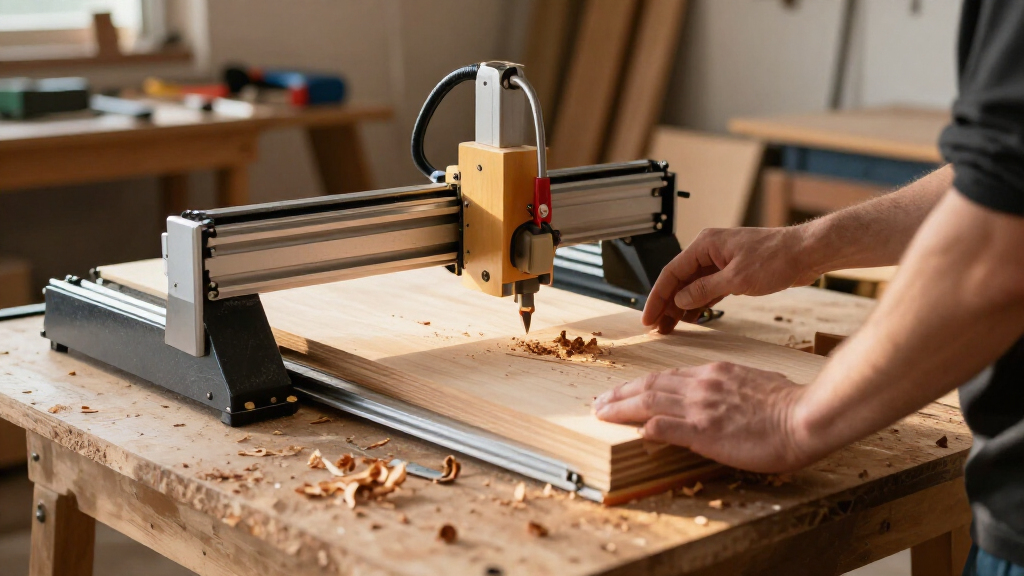
How We Picked
I evaluated these machines based on structural rigidity, motor torque, spindle quality, and software compatibility. Rigidity is the most critical factor because a flexible frame results in poor surface finish and reduced tool life, regardless of spindle power. I prioritized machines with linear guide rails over open roller systems, as the former provide smoother motion and less backlash. Motor type was another key differentiator; I favored NEMA 23 and higher motors for their ability to maintain torque at higher speeds, which is essential for cutting hardwoods and plastics.
Usability and ecosystem support also played a major role in the rankings. I looked for machines with GRBL compatibility and offline control options, which simplify operation for users who do not want to dedicate a computer to their CNC. Additionally, I considered the availability of replacement parts and community support. Brands like Genmitsu and LUNYEE have extensive user bases, meaning solutions to common issues are readily available. This ranking reflects a balance between raw performance and the practical realities of owning and maintaining a desktop CNC.
Factors to Consider When Choosing Best Desktop CNC Machines
Selecting a desktop CNC involves more than just picking the largest number on the spec sheet. You must align the machine’s physical constraints with your intended materials and workspace limitations. Here are the critical factors that should drive your decision.
Frame Material and Rigidity
The frame is the foundation of your machine’s accuracy. Aluminum extrusions are common in mid-range models, offering a good balance of weight and stiffness. However, all-metal frames, often made from steel or cast aluminum, provide superior vibration damping. A rigid frame prevents ‘chatter,’ which leaves visible marks on the workpiece. If you plan to cut metals or dense hardwoods, prioritize a heavy, rigid frame over a lightweight aluminum one. Cheaper machines often use plastic brackets or thin aluminum, which flex under load and ruin precision. Always check if the rails are supported on both sides, as single-sided support is a common weakness in budget builds.
Spindle Power vs. Torque
While wattage indicates power consumption, it does not directly translate to cutting ability. Torque is what allows the spindle to maintain speed under load. A high-wattage spindle on a low-quality motor may stall when encountering resistance. Look for machines with variable frequency drives (VFDs) or well-regulated electronic speed controllers that provide consistent torque across the RPM range. For wood and plastic, 300W to 500W is often sufficient if the feed rates are managed correctly. For aluminum or brass, you will need at least 800W and a spindle capable of sustaining high torque at lower RPMs. Do not assume a 1kW spindle is twice as capable as a 500W one; the motor’s efficiency and cooling capacity matter more.
Motor Size and Type
Stepper motors are measured by their frame size, typically NEMA 17, NEMA 23, or NEMA 57. NEMA 17 motors are standard in entry-level machines and work fine for light engraving and soft wood. NEMA 23 motors offer significantly more holding force and torque, reducing the risk of missed steps during aggressive cuts. NEMA 57 motors are found on high-end desktop units and provide the smoothest operation for large work areas. If you are upgrading from a basic kit, moving to NEMA 23 motors can be a worthwhile modification. However, ensure your driver board can supply enough current to these larger motors, as underpowering them leads to overheating and poor performance.
Workflow and Software Compatibility
The hardware is only half the battle; the software workflow determines how quickly you can go from idea to finished part. GRBL is the industry standard for desktop CNCs, supported by nearly all controllers. Look for machines that come with offline controllers or dedicated software that simplifies file transfer. Some premium models, like the Carvera Air, offer integrated CAM software that handles toolpaths automatically, which is ideal for beginners. However, this convenience often comes with a closed ecosystem that limits material choices or tool compatibility. For flexibility, open-source firmware and standard G-code support are preferable, allowing you to use various CAD/CAM packages like Fusion 360 or VCarve.
Noise, Dust, and Workspace Constraints
Desktop CNCs are loud. Spindle noise and stepper motor whine can easily exceed 75 decibels, making them unsuitable for shared living spaces without mitigation. Enclosed machines significantly reduce noise and contain dust and chips, which is a major benefit for health and cleanliness. However, enclosures reduce visibility and can complicate tool changes. If you do not have a dedicated workshop, investing in a machine with a dust collection port and a sound-dampening enclosure is wise. Alternatively, you can build a custom enclosure, but this adds cost and complexity. Consider where the machine will live permanently; vibration isolation is also critical, as a lightweight table can transmit vibrations to the floor, disturbing others.
Frequently Asked Questions
Can a desktop CNC machine cut aluminum effectively?
Yes, but with significant limitations. Most desktop CNCs can cut soft aluminum like 6061 or 7075 if you use single-flute end mills, low feed rates, and a rigid machine. You must also use a coolant or cutting fluid to prevent heat buildup and tool clogging. Machines with less than 500W of spindle power will struggle and require very shallow passes. For frequent aluminum work, I recommend a machine with a minimum of 800W and NEMA 23 or larger motors to maintain torque. Expect slower production times and more frequent tool breakage compared to industrial machines.
Is it worth upgrading from a plastic 3018 clone to a metal-framed model?
Absolutely. The primary failure point of plastic 3018 clones is their lack of rigidity. The plastic brackets flex under load, causing deflection that results in poor accuracy and surface finish. Metal-framed machines like the LUNYEE 3018 PRO MAX or Genmitsu PROVer series use aluminum or steel, which maintains alignment and reduces vibration. This upgrade allows for deeper cuts and faster feed rates without sacrificing quality. The initial cost difference is quickly offset by reduced material waste and better tool life, making the metal frame a worthwhile investment for any serious hobbyist.
Do I need a computer connected to run a desktop CNC?
Not necessarily. Many modern machines support offline control, allowing you to save G-code files to an SD card and run the job without a PC connection. This is particularly useful if your workshop is far from your desk or if you want to avoid potential USB connection errors. However, having a computer connected is still beneficial for real-time monitoring, emergency stops, and adjusting settings on the fly. If you plan to do complex setups or frequent adjustments, a wired connection provides more control. For simple, repeatable jobs, offline capability offers greater flexibility and reliability.
What is the difference between a spindle and a router motor?
A spindle is a motorized shaft designed specifically for CNC applications, typically using bearings that support both radial and axial loads. They often run on AC or DC power with variable speed control. A router motor is a standard handheld power tool motor, often using collets designed for manual use. Spindles generally offer better balance, lower vibration, and higher precision. Router motors can be adapted for CNC use but may suffer from bearing failure due to lateral loads they were not designed to handle. For precision work, a dedicated spindle is the superior choice due to its runout accuracy and consistent performance.
How important is dust collection for a desktop CNC?
It is critical for both machine longevity and user health. Wood dust and plastic chips can infiltrate linear rails and ball screws, causing premature wear and seizing. In a home environment, fine dust poses a respiratory hazard. Most desktop machines lack built-in collection, so you must add a dust boot or shroud and connect it to a vacuum. Without proper extraction, you will spend more time cleaning the machine and replacing worn components. Investing in a good dust collection system is just as important as buying quality bits. It keeps the working area clean and ensures the mechanical parts remain free of abrasive particles.
Conclusion
Choosing the right desktop CNC depends heavily on your specific goals and constraints. For most users seeking the best overall performance without breaking the bank, the LUNYEE 4040 Nova offers the best balance of rigidity, power, and build quality. If you are just starting out and need a reliable, affordable entry point, the Genmitsu 3018-PROVer V2 is the clear best value choice, offering metal construction and offline control at a low price. For those with limited space or noise concerns, the Carvera Air or Genmitsu Cubiko provide the best enclosed experience, keeping dust and noise contained. If you require heavy-duty capability for metals or large projects, the FoxAlien XE-Ultra with its NEMA 23 motors is the best premium option. Ultimately, match the machine’s rigidity and power to your materials, and prioritize a robust frame over raw wattage for the best results.