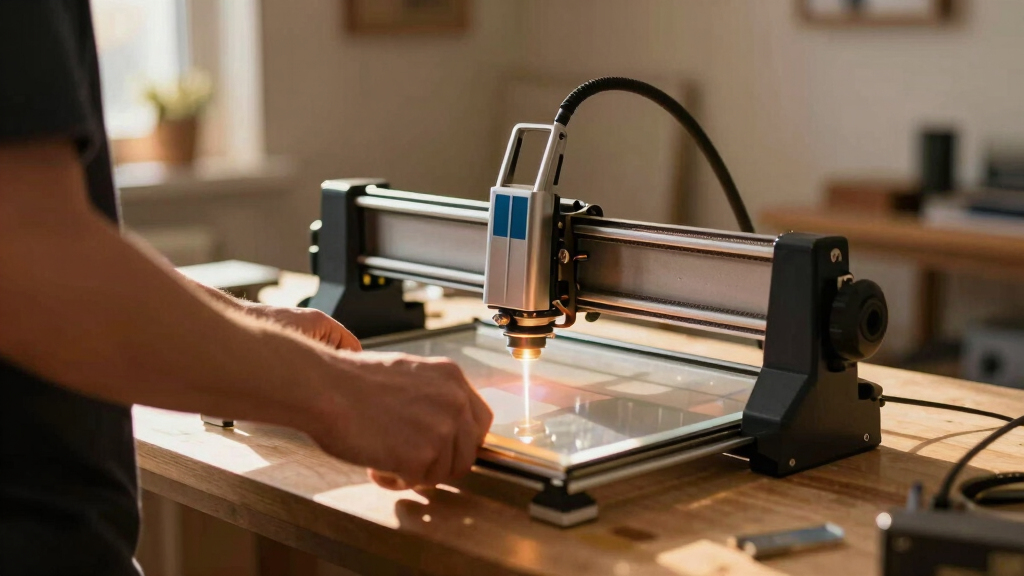
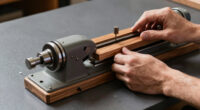
Choosing the best laser engraver for signs involves balancing power, size, precision, and ease of use. The VEVOR Laser Engraver 20W stands out as the overall top pick for its versatile working area and fast cutting capabilities. The xTool S1 40W impresses with its high power and bundled features, making it ideal for larger, detailed signs. However, tradeoffs often include higher costs or complexity for advanced features. Continue reading for a detailed breakdown of the best options tailored for different needs and budgets.

Get business pricing on tools and workshop supplies
- Business-only prices and quantity discounts
- Tax-exempt purchasing
- Multiple users, one account, clear invoices
Complete the kit
Key Takeaways
- Power output directly impacts the ability to cut and engrave on various materials, with higher wattage offering more versatility.
- Work area size varies significantly, influencing whether a machine can handle large signage projects in one pass.
- Built-in features like cameras and auto-focus simplify setup and improve accuracy, especially for complex designs.
- Budget options often compromise on size and power, making them suitable for small-scale or hobbyist sign making.
- Ease of use, including software and safety features, is critical for beginners but can add to the cost of premium models.
| VEVOR Laser Engraver 20W with Enclosure and Camera, 15.7 x 15.7 in Working Area, Fast Cutting for Wood, Leather, Glass, Paper, and Certain Metals |  | Best Overall for Versatile Sign Making | Laser Power: 20W | Working Area: 15.7 x 15.7 inches | Laser Wavelength: 455 nm | VIEW LATEST PRICE | See Our Full Breakdown |
| Longer Laser B1 30W Laser Engraver Cutter with Auto Air Assist, 17.72×17.32 inch Working Area |  | Best for Heavy-Duty Sign Production and Thick Material Cutting | Power Output: 36W | Working Area: 17.72 x 17.32 inches | Material Compatibility: Wood, Metal, Paper, Acrylic, Glass, Leather | VIEW LATEST PRICE | See Our Full Breakdown |
| xTool S1 40W Laser Cutter and Engraver with Rotary Bundle |  | Best for Large, Detailed Sign Projects with High Power | Laser Power: 40W | Bed Size: 23.93″ x 15.16″ | Material Compatibility: Wood, Metal, Acrylic, Curved surfaces | VIEW LATEST PRICE | See Our Full Breakdown |
| xTool M2 10W Laser Engraver with Dual Cameras and Enclosed Design |  | Best for Home Use and Small-Scale Sign Projects | Laser Power: 10W | Material Compatibility: Wood, Leather, Felt, Paper | Safety Class: Class 1 | VIEW LATEST PRICE | See Our Full Breakdown |
| Twotrees TTS-55 Pro Laser Engraver 5500mW |  | Best for Hobbyists and Small Business Sign Makers on a Budget | Laser Power: 5500mW (5.5W) | Working Area: 300x300mm | Material Compatibility: Wood, Leather, Acrylic, Paper, Stainless Steel | VIEW LATEST PRICE | See Our Full Breakdown |
| BlazeX M3 10W Laser Engraver Machine, Ultra-Precision Desktop Laser Cutter & Engraver for Wood, Metal, Glass, Leather |  | Best for Precise Small-Scale Sign Making | Laser Power: 10W | Accuracy: 0.01mm | Material Compatibility: Wood, Metal, Glass, Leather | VIEW LATEST PRICE | See Our Full Breakdown |
| Longer Ray5 5W Laser Engraver with 3.5″ Touch Screen, 400x400mm Workspace, Offline Use |  | Best for Versatile Material Support and Connectivity | Laser Power: 5W | Laser Spot Size: 0.08mm | Engraving Accuracy: 0.01mm | VIEW LATEST PRICE | See Our Full Breakdown |
| Laser Tree 20W Laser Engraver & Cutter with 15.75×31.5in Work Area |  | Best for Large-Scale Sign Production | Laser Power: 20W | Work Area: 15.75×31.5 inches | Engraving Speed: 10,000mm/min | VIEW LATEST PRICE | See Our Full Breakdown |
| AlgoLaser MK3 8W Laser Engraver with 3.5″ Touchscreen, No PC Needed |  | Best for Simplicity and On-Device Control | Laser Power: 8W | Work Area: 400×400mm | Speed: 15,000mm/min | VIEW LATEST PRICE | See Our Full Breakdown |
| VUSIGN Laser Engraver 20W with 3.5″ Touch Screen, 400×400mm Work Area |  | Best for Heavy-Duty Signage and Precise Power | Laser Power: 20,000mW | Work Area: 400×400 mm | Laser Spot Size: 0.08 × 0.1 mm | VIEW LATEST PRICE | See Our Full Breakdown |
| xTool F2 5W IR & 15W Diode Dual Laser Engraver with Built-in 50MP Camera |  | Best Versatile and Portable Laser for On-Site Sign Making | Laser Power (IR): 5W | Laser Power (Diode): 15W | Camera Resolution: 50MP | VIEW LATEST PRICE | See Our Full Breakdown |
| VEVOR Laser Engraver, 20W, with Enclosure, 11.8 x 11.8 in Working Area |  | Best High-Precision Enclosed Laser for Sign Detailing | Laser Power: 20W | Laser Class: Class 1 | Laser Wavelength: 455 nm | VIEW LATEST PRICE | See Our Full Breakdown |
| K15 Pro Laser Engraver 10W – CNC DIY Laser Cutter for Metal, Wood, Acrylic, Glass, Stone |  | Best Entry-Level Laser for Small-Scale Sign Projects | Laser Power: 10W | Work Area: 11.8×7.9 inches (A4) | Material Compatibility: Wood, acrylic, leather, coated metal | VIEW LATEST PRICE | See Our Full Breakdown |
| ACMER S2 Laser Engraver, 12000mW Laser Cutter Engraving Machine |  | Best High-Precision Compact Laser for Detailed Sign Work | Laser Power: 12W | Total System Power: 72W | Work Area: 300 x 300 mm | VIEW LATEST PRICE | See Our Full Breakdown |
| laser engraver for sign | Laser Power | Material Compatibility |
|---|---|---|
| VEVOR Laser Engraver 20W with | 20W | Wood, Leather, Glass, Paper, Certain Metals |
| Longer Laser B1 30W Laser Engr | — | Wood, Metal, Paper, Acrylic, Glass, Leather |
| xTool S1 40W Laser Cutter and | 40W | Wood, Metal, Acrylic, Curved surfaces |
| xTool M2 10W Laser Engraver wi | 10W | Wood, Leather, Felt, Paper |
| Twotrees TTS-55 Pro Laser Engr | 5500mW (5.5W) | Wood, Leather, Acrylic, Paper, Stainless Steel |
| BlazeX M3 10W Laser Engraver M | 10W | Wood, Metal, Glass, Leather |
| Longer Ray5 5W Laser Engraver | 5W | — |
| Laser Tree 20W Laser Engraver | 20W | — |
| AlgoLaser MK3 8W Laser Engrave | 8W | — |
| VUSIGN Laser Engraver 20W with | 20,000mW | — |
| xTool F2 5W IR & 15W Diode Dua | — | 300+ materials |
| VEVOR Laser Engraver | 20W | — |
| K15 Pro Laser Engraver 10W | 10W | Wood, acrylic, leather, coated metal |
| ACMER S2 Laser Engraver | 12W | Wood, leather, acrylic, coated metal |
More Details on Our Top Picks
VEVOR Laser Engraver 20W with Enclosure and Camera, 15.7 x 15.7 in Working Area, Fast Cutting for Wood, Leather, Glass, Paper, and Certain Metals
This VEVOR model stands out for its expansive 15.7 x 15.7-inch working area, making it ideal for large signs or multiple smaller ones in a single session. Its high-speed capacity of 30,000 mm/min boosts productivity, especially compared to the more modest speeds of the xTool M2. The safety enclosure adds peace of mind for home or small workshop use, but it limits working with reflective metals unless coated or treated beforehand. While it offers broad material compatibility, it can’t handle uncoated or reflective metals directly, unlike the more powerful xTool S1. The software flexibility with LaserGRBL, LightBurn, and CutLabX makes it accessible for users familiar with engraving software, but it requires a Windows or Mac OS system. Overall, this engraver balances size, speed, and safety, making it suitable for serious hobbyists and small business owners who need a versatile workhorse.
Pros:- Large engraving area suitable for big signs or batch work
- High-speed operation improves productivity
- Safety enclosure enhances user protection
- Compatible with multiple popular software tools
Cons:- Limited ability to engrave uncoated or reflective metals
- Requires Windows or Mac OS with compatible software
Best for: Hobbyists and small business owners needing large, fast sign production across diverse materials
Not ideal for: Users wanting to engrave uncoated or reflective metals or those with limited space, due to its size and material restrictions
- Laser Power:20W
- Working Area:15.7 x 15.7 inches
- Laser Wavelength:455 nm
- Laser Spot Size:0.12 x 0.15 mm
- Speed:30,000 mm/min
- Material Compatibility:Wood, Leather, Glass, Paper, Certain Metals
Our verdict“This engraver is best for those who prioritize size, speed, and safety for versatile sign projects within a small business or serious hobbyist setting.”
Longer Laser B1 30W Laser Engraver Cutter with Auto Air Assist, 17.72×17.32 inch Working Area
The Longer Laser B1’s 36W laser outperforms most in cutting through thicker materials like wood and acrylic, making it a strong choice for larger signs that demand durability. Its sizable 17.72 x 17.32-inch working area allows for bigger projects, surpassing the smaller bed of the xTool M2, which is more suited for detailed small signs. The high speed of 36,000 mm/min boosts efficiency but results in a heavier, bulkier device—less ideal for tight spaces. Its advanced safety features, including motion and flame sensors, are a plus for safety-conscious users. However, its complex setup and high power consumption may deter casual hobbyists, especially those with limited technical experience. Overall, this model suits users needing powerful cutting and large-scale projects but requires a dedicated workspace and some technical know-how.
Pros:- Powerful 36W laser for cutting thick materials
- Large working area supports bigger signs
- Fast engraving speeds increase throughput
- Advanced safety features for secure operation
Cons:- Heavy and bulky, needs dedicated space
- Complex setup may challenge beginners
Best for: Professionals or small businesses producing large, durable signs requiring thick material cutting
Not ideal for: Beginners or casual hobbyists with limited space or technical experience due to its size and complexity
- Power Output:36W
- Working Area:17.72 x 17.32 inches
- Material Compatibility:Wood, Metal, Paper, Acrylic, Glass, Leather
- Safety Features:Motion sensors, Flame detection, Emergency stop
- Dimensions:29.33 x 5.31 x 22.44 inches
- Weight:21.6 pounds
Our verdict“Ideal for users who need serious power and size for durable, large-scale sign fabrication, but not for those with limited space or technical skills.”
xTool S1 40W Laser Cutter and Engraver with Rotary Bundle
The xTool S1’s 40W laser outshines many competitors like the Longer B1, especially in cutting thick materials such as 18mm wood, thanks to its high wattage and large bed size of nearly 24 x 15 inches. Its fast engraving speed of 600mm/s accelerates production, and the advanced safety features, including an enclosed design and flame sensors, make it suitable for a professional environment. The included rotary bundle expands its capability for cylindrical objects, ideal for custom signs on rounded surfaces. However, its substantial weight of nearly 87 pounds makes it less portable and requires a dedicated, spacious setup. The premium price reflects its high performance, which might be overkill for casual users or small projects. Overall, this model is well-suited for serious sign makers and larger projects that demand precision and power.
Pros:- Powerful 40W laser for thick materials
- Large bed size for big projects
- Fast engraving speeds for efficiency
- Includes rotary bundle for cylindrical objects
Cons:- Heavy and requires large workspace
- Premium price point for casual users
Best for: Professional sign makers and artists needing large, precise, and high-power cutting and engraving
Not ideal for: Casual hobbyists or small-scale users who cannot accommodate its size and cost
- Laser Power:40W
- Bed Size:23.93″ x 15.16″
- Material Compatibility:Wood, Metal, Acrylic, Curved surfaces
- Safety Features:Enclosed design, flame sensors, emergency stop
- Weight:86.8 pounds
Our verdict“This engraver is perfect for professionals requiring high power and size for large, detailed signs but not suited for small or casual projects.”
xTool M2 10W Laser Engraver with Dual Cameras and Enclosed Design
The xTool M2 shines in environments where safety and ease of use are priorities, especially with its fully enclosed design and dual cameras that provide real-time workspace visualization. Its 10W laser is suitable for detailed, small signs and craft projects on wood, leather, and paper, but falls short for large or thick materials compared to the more powerful models like the Longer B1 or xTool S1. The dual cameras facilitate precise placement and design preview, making it ideal for DIYers and small businesses focusing on intricate work. However, the optional modules for full-color printing or metal engraving are sold separately, which can add to overall cost. This model makes the most sense for users who want a safe, user-friendly machine for small to medium signage and craft projects at home.
Pros:- Built-in dual cameras for precise placement
- Fully enclosed, safe design
- Supports a variety of materials with user-friendly operation
- Compatible with AI design tools and templates
Cons:- Limited to 10W laser power, restricting thick or large projects
- Optional modules sold separately and add cost
Best for: Home users or small businesses focusing on detailed, small-scale signs and craft projects
Not ideal for: Users needing to cut or engrave large, thick, or uncoated metals, or those seeking high-power production capacity
- Laser Power:10W
- Material Compatibility:Wood, Leather, Felt, Paper
- Safety Class:Class 1
- Built-in Cameras:Dual
- Enclosure:Fully enclosed
- Power Options:Standard 10W diode laser, optional modules
Our verdict“This engraver excels for safe, detailed signage and craft projects at home or small shop settings, but isn’t suited for large or industrial-scale work.”
Twotrees TTS-55 Pro Laser Engraver 5500mW
The Twotrees TTS-55 Pro offers a notable 5500mW laser power, making it capable of cutting through materials like 5mm plywood and 3mm acrylic efficiently, which many lower-powered engravers struggle with. Its compact size of 300x300mm makes it suitable for small workshops or desktop setups, but limits the size of signs it can produce. Wireless connectivity via Wi-Fi and support for software like LaserGRBL and LightBurn simplifies operation for tech-savvy hobbyists. While its power allows for precise engraving and cutting on a range of materials, it may require extra safety precautions due to its laser strength. The small working area means it’s best for personalized, small signs rather than large batch production. This model makes the most sense for hobbyists or small-scale sign makers prioritizing power and affordability.
Pros:- High-power 5500mW laser for precise engraving and cutting
- Wireless control via Wi-Fi
- Supports multiple materials including metals and thick woods
- Easy to install with comprehensive guides
Cons:- Limited workspace size restricts large sign projects
- Requires safety precautions due to laser power
Best for: Hobbyists or small businesses needing a powerful, compact engraver for personalized signs and craft projects
Not ideal for: Users requiring large-scale production or sign sizes exceeding 300x300mm, or those needing industrial-grade speed
- Laser Power:5500mW (5.5W)
- Working Area:300x300mm
- Material Compatibility:Wood, Leather, Acrylic, Paper, Stainless Steel
- Cutting Thickness:5mm plywood, 3mm acrylic
- Focus Spot:0.08*0.46mm
- Connectivity:Wi-Fi, TF card
Our verdict“This engraver offers excellent power and control for small-scale, detailed sign projects at an affordable price, but isn’t suited for larger or industrial tasks.”
BlazeX M3 10W Laser Engraver Machine, Ultra-Precision Desktop Laser Cutter & Engraver for Wood, Metal, Glass, Leather
The BlazeX M3 stands out for its exceptional accuracy of 0.01mm, making it ideal for detailed sign lettering and small intricate designs. Compared with the Laser Tree 20W, which offers a larger work area and more power, the M3 is better suited for fine, precise work rather than large-scale projects. Its compact size and beginner-friendly kit make it accessible for hobbyists or small businesses focusing on high-detail signage. However, the limited laser power poses a challenge for cutting thicker materials or larger signs. The safety features and software compatibility add to its appeal for newcomers, but setup requires some technical calibration. This model is perfect for users prioritizing precision over scale, especially those working on jewelry, labels, or detailed decorative signs.
Pros:- High-precision engraving with 0.01mm accuracy
- Versatile for cutting and engraving multiple materials
- Beginner-friendly with comprehensive starter kit and safety features
Cons:- Limited to small-scale projects due to size
- Requires some technical setup and calibration
Best for: Hobbyists and small sign makers who need ultra-precision for detailed craftsmanship
Not ideal for: Large sign production or thick material cutting, due to its small size and limited power
- Laser Power:10W
- Accuracy:0.01mm
- Material Compatibility:Wood, Metal, Glass, Leather
- Weight:8 pounds
- Material Type:Metal
- Warranty:Amazon.com Voluntary 30-Day Return Guarantee
Our verdict“Best suited for artisans and small-scale sign makers focused on intricate, detailed work.”
Longer Ray5 5W Laser Engraver with 3.5″ Touch Screen, 400x400mm Workspace, Offline Use
The Longer Ray5 offers a solid balance of speed and versatility, with a 0.08mm laser spot size and a 400x400mm workspace that makes it more flexible than the BlazeX M3 for medium projects. Its support for multiple connectivity options — WiFi, USB, TF card — and compatibility with LaserGRBL and LightBurn give it an edge over more basic models like the AlgoLaser MK3, especially for users who want offline operation or greater flexibility. Its 5W laser power limits heavy-duty cutting, but it excels at detailed engraving on metals, glass, and wood. Setup can be complex for beginners, and safety precautions are necessary, but its larger workspace and software support make it a versatile choice for semi-professional signage projects. This pick is ideal for users needing a combination of speed, material support, and connectivity.
Pros:- High-speed engraving up to 10,000mm/min with precise detail
- Supports multiple connectivity options including WiFi and offline modes
- Large 400x400mm workspace suitable for bigger signs
Cons:- Requires safety precautions such as goggles and protective covers
- Setup may be complex for beginners
Best for: DIY sign makers and small workshops needing flexible material options and offline control
Not ideal for: Heavy industrial use or projects requiring cutting thick metals, due to its moderate power
- Laser Power:5W
- Laser Spot Size:0.08mm
- Engraving Accuracy:0.01mm
- Working Area:400x400mm
- Touch Screen:3.5 inches
- Connectivity:USB, TF card, WiFi, App
Our verdict“A versatile and connected option for sign makers who need a larger working area with flexible material support.”
Laser Tree 20W Laser Engraver & Cutter with 15.75×31.5in Work Area
The Laser Tree 20W is designed for larger projects, with a substantial 15.75×31.5-inch work area that makes it suitable for creating large signs and panels. Its 20W laser power can cut and engrave a wide array of materials, including thicker woods, acrylics, and even some metals, outperforming models like the VUSIGN 20W in power and size. Its high engraving speed of 10,000mm/min supports efficient production, but the setup involves precise calibration and a higher learning curve. This machine is less suited for small detailed work but excels at big, bold signs. The cost and size may be prohibitive for hobbyists or small workshops, but for those needing to produce large, impactful signage, it’s a compelling choice. Ideal for small businesses or serious hobbyists focused on larger signage.
Pros:- Large work area for big projects
- High engraving and cutting speeds for efficiency
- Supports various materials including metals
Cons:- Requires significant setup and calibration
- Expensive and large, less suited for casual hobbyists
Best for: Small signage businesses or hobbyists needing large-format engraving and cutting
Not ideal for: Small-scale or highly detailed sign work, due to its large size and power
- Laser Power:20W
- Work Area:15.75×31.5 inches
- Engraving Speed:10,000mm/min
- Compatible Software:LightBurn, LaserGRBL
- Supported Formats:SVG, DXF, BMP, JPG, PNG
Our verdict“A top choice for sign makers prioritizing size and power over small-scale detail work.”
AlgoLaser MK3 8W Laser Engraver with 3.5″ Touchscreen, No PC Needed
The AlgoLaser MK3 offers straightforward operation with a 3.5-inch touchscreen and pre-loaded material presets, making it accessible for beginners or those who prefer on-device editing. Although its 8W laser power is less than the other models like the VUSIGN 20W, it provides sufficient detail for small signs, personalized gifts, and home decor projects. Its quick assembly—about 10 minutes—appeals to hobbyists eager to start immediately. The device’s support for direct sketching and typing simplifies sign creation without needing a PC, unlike the Laser Tree 20W or Ray5. However, the lower power limits its effectiveness on thicker or dense materials, and mastering the software features may take some time. This model is ideal for users seeking a simple, on-device solution for light to moderate sign projects.
Pros:- Easy to assemble and operate in about 10 minutes
- No PC required for basic functions, with a clear touchscreen interface
- Pre-loaded with over 400 material presets for consistent results
Cons:- Limited to 8W laser power, suitable mainly for light engraving
- Requires safety precautions like laser goggles
Best for: Home-based sign makers or hobbyists looking for an easy, PC-free engraving experience
Not ideal for: Heavy-duty or large-scale sign production, due to its limited laser power
- Laser Power:8W
- Work Area:400×400mm
- Speed:15,000mm/min
- Display:3.5″ HD touchscreen
- Connectivity:WiFi, USB, SD card, App
- Material Presets:400+
Our verdict“A convenient, beginner-friendly choice for small sign projects and personalized items.”
VUSIGN Laser Engraver 20W with 3.5″ Touch Screen, 400×400mm Work Area
The VUSIGN 20W combines high laser power with a sizable 400×400mm workspace, making it suitable for detailed, larger signage and thicker materials. Its laser spot size of 0.08 × 0.1 mm enables fine detail comparable to the Ray5 but with more power, making it more capable of cutting through denser materials like thick wood or acrylic, outperforming the Laser Tree 20W in precision. Its multiple software options and safety features, including emergency stop and goggles, enhance usability for small workshops or serious hobbyists. However, its weight and size mean it needs a dedicated space, and setup can be complex. It’s less ideal for light, delicate work, but highly effective for high-power, larger projects. This model is best for those needing power and precision in sizeable signage.
Pros:- High-power laser capable of cutting thick materials
- Large work area with precise detail
- Multiple software and connectivity options
Cons:- Heavy and large, requiring dedicated space
- Complex setup and calibration needed
Best for: Small businesses and advanced hobbyists producing large, detailed signs with demanding materials
Not ideal for: Tight spaces or users seeking a lightweight, portable engraver
- Laser Power:20,000mW
- Work Area:400×400 mm
- Laser Spot Size:0.08 × 0.1 mm
- Engraving Speed:12,000 mm/min
- Software Compatibility:LaserGRBL, LightBurn
- Connectivity:Wi-Fi, USB
Our verdict“Ideal for sign makers who need a powerful, large-format engraver with precise detail on tough materials.”
xTool F2 5W IR & 15W Diode Dual Laser Engraver with Built-in 50MP Camera
The xTool F2 stands out for its dual-laser system, allowing engraving on over 300 materials, which surpasses the single-laser capabilities of the VEVOR Laser Engraver. Its high-resolution 50MP camera ensures precise positioning, vital for detailed sign work, while the ultra-fast speeds up to 6000mm/s boost productivity. The fully enclosed, portable design makes it ideal for on-site customization, such as markets or pop-up events, unlike larger, stationary models. However, its class 4 laser requires careful safety measures, and it’s better suited for small batches rather than mass production. Best for mobile artisans and workshop owners who need versatility and speed in a compact form.
Pros:- Dual-laser system for a broad material range
- High-res 50MP camera for precise placement
- Fast engraving speeds for quick turnarounds
- Portable and enclosed for safety and mobility
Cons:- Limited batch capacity, not suited for large production runs
- Requires safety precautions due to Class 4 laser
- Accessory setup can be somewhat complex
Best for: Small business owners or artists needing versatile, portable engraving for diverse materials on-site
Not ideal for: High-volume sign manufacturers or those working primarily with metals requiring heavy-duty engraving
- Laser Power (IR):5W
- Laser Power (Diode):15W
- Camera Resolution:50MP
- Max Speed:6000mm/s
- Material Compatibility:300+ materials
- Engraving Accuracy:0.00199 inches
Our verdict“This engraver is perfect for mobile sign makers and artisans needing quick, precise results on a variety of materials in a portable package.”
VEVOR Laser Engraver, 20W, with Enclosure, 11.8 x 11.8 in Working Area
The VEVOR Laser Engraver offers a 20W laser that delivers fine detail, comparable to the ACMER S2 in accuracy but with a larger working area, making it suitable for detailed sign work that requires precision. Its enclosure enhances safety and reduces smoke, which is an advantage over open designs like the K15 Pro. The machine supports multiple software options and can operate offline, providing flexibility for workshop setups. Nonetheless, it’s limited to non-metal materials unless coated, which might restrict certain sign designs. Its larger size and weight mean it’s less portable than the xTool F2. Best for small sign shops or hobbyists focusing on wood, leather, and coated metals.
Pros:- High-precision engraving with a small laser spot
- Enclosed design for safer operation and minimal smoke
- Supports multiple software platforms and offline use
- Suitable for a range of materials including wood and leather
Cons:- Cannot engrave or cut uncoated metals or reflective surfaces
- Limited to non-metal materials unless coated
- Requires black coating on reflective surfaces for best results
Best for: Sign makers working with non-metal materials needing high precision in a safe, enclosed environment
Not ideal for: Businesses that require cutting or engraving on reflective or uncoated metals, or need portability
- Laser Power:20W
- Laser Class:Class 1
- Laser Wavelength:455 nm
- Laser Spot Size:0.12 x 0.15 mm
- Max Speed:7,000 mm/min
- Working Area:11.8 x 11.8 inches
Our verdict“This engraver is ideal for detail-oriented sign projects on coated and non-metal materials within a safe, enclosed workspace.”
K15 Pro Laser Engraver 10W – CNC DIY Laser Cutter for Metal, Wood, Acrylic, Glass, Stone
The K15 Pro offers an accessible entry point for hobbyists and small businesses, with a 10W laser powerful enough for engraving and cutting wood, acrylic, and coated metals. Its compact A4 workspace is smaller than larger units like the Longer Ray5, making it suitable for small signs and craft projects. Its high precision of 0.01mm and fast speeds up to 15,000mm/min make it a capable tool for detailed work, but its limited size restricts larger sign production. The upgrade options add flexibility, yet some users might find the assembly process challenging without prior experience. Best for hobbyists or small-scale sign businesses seeking an affordable, upgradeable machine.
Pros:- Easy to assemble with a complete starter kit
- High precision and fast engraving capabilities
- Upgradeable with additional modules and features
- Supports offline control via TF card
Cons:- Limited work area for bigger signs
- Requires some technical setup and learning curve
- Laser power may be insufficient for very thick materials
Best for: Beginners or small business owners focusing on small signs and craft projects with a limited workspace
Not ideal for: Larger sign production or industrial applications requiring bigger engraving areas and stronger lasers
- Laser Power:10W
- Work Area:11.8×7.9 inches (A4)
- Material Compatibility:Wood, acrylic, leather, coated metal
- Max Cutting Thickness:12mm plywood, 8mm acrylic
- Precision:0.01mm
- Speed:15,000mm/min
Our verdict“This compact, upgradeable machine is suited for hobbyists and small sign projects where size and cost matter.”
ACMER S2 Laser Engraver, 12000mW Laser Cutter Engraving Machine
The ACMER S2 offers a 12W laser with a highly accurate 0.01mm positioning precision, making it a compelling choice for detailed sign engraving and small cuts on a 300x300mm workspace. Its compatibility with popular software like LightBurn and LaserGRBL provides flexibility for experienced users. Compared with larger models like the Vevor 20W, it’s more compact but still capable of complex designs. Its smaller size and safety features, including UV shields and motion protection, make it suitable for both beginners and advanced hobbyists. The main tradeoff is that it requires assembly, which could be challenging for some, and it’s limited to laser engraving and cutting, not other fabrication methods. Best for precision-focused sign projects in small workshops or home studios.
Pros:- High precision with 0.01mm accuracy
- Compatible with multiple software including LightBurn
- Compact size for small workspaces
- Safety features like UV shield and motion protection
Cons:- Assembly may be difficult for some users
- Limited to laser engraving and cutting, not suitable for other fabrication
- Less suitable for large or thick material projects
Best for: Experienced hobbyists or small sign businesses needing detailed, precise engraving within a compact footprint
Not ideal for: High-volume production or projects involving thick, large, or metal signs requiring bigger equipment
- Laser Power:12W
- Total System Power:72W
- Work Area:300 x 300 mm
- Laser Spot Size:0.08 x 0.08 mm
- Positioning Accuracy:0.01 mm
- Material Compatibility:Wood, leather, acrylic, coated metal
Our verdict“This laser is well-suited for detailed, small-scale sign projects requiring high accuracy and convenience in a compact form.”

How We Picked
To determine the best laser engravers for signs, I focused on key factors that influence real-world usability and value. Performance metrics such as power, engraving speed, and precision were prioritized, as they directly affect signage quality. Usability features like software interface, camera integration, and safety enclosures were also considered, since ease of setup matters for both beginners and professionals. Build quality and maintenance requirements helped assess long-term reliability. The ranking balances these elements against price, ensuring options cater to different budgets without sacrificing core capabilities.Factors to Consider When Choosing Best Laser Engraver For Signs
When selecting a laser engraver specifically for signs, it’s important to consider several factors that affect both the quality of your work and your investment. The right choice depends on your project scale, material types, and experience level. Understanding these considerations helps avoid common pitfalls like overspending on unnecessary features or settling for underpowered machines that can’t handle larger signage tasks.Power and Material Compatibility
Power determines the engraver’s ability to cut through or etch on different materials like wood, acrylic, or metal. While 20-30W options are suitable for engraving on softer materials, larger or thicker signs often require 40W or more. Choosing a machine with adjustable power settings provides greater flexibility across materials, preventing frustration and ensuring clean, professional results.
Work Area Size
The size of the working surface directly impacts whether you can make full-sized signs in one go. Smaller units may be more affordable but force you to piece together designs, which can compromise accuracy. Larger work areas streamline production but often come with increased cost and space requirements. Consider your typical signage size and future needs before settling on a specific dimension.
Ease of Use and Software
User-friendly software and features like auto-focus, cameras, or pre-set templates can dramatically reduce setup time and improve precision. Beginners should prioritize intuitive interfaces, while professionals might benefit from advanced features that allow detailed customization. Keep in mind that some software may have a learning curve or additional costs, impacting overall usability.
Build Quality and Safety
Durability and safety features such as enclosures, emergency stops, and protective shields are vital, especially in a workshop environment. A well-built machine reduces maintenance frequency and ensures consistent results over years of use. Safety considerations are particularly important if you plan to work frequently or with materials that produce fumes or debris.
Budget and Long-Term Value
While cheaper models are tempting, they often lack the power, size, or features needed for professional signage. Investing a bit more upfront can lead to better results, faster production, and fewer frustrations. Consider the total cost of ownership, including maintenance, software updates, and potential upgrades, to ensure your purchase remains a good investment over time.
Frequently Asked Questions
Can a lower-wattage laser engraver handle sign making?
Lower-wattage laser engravers, typically under 10W, are generally limited to engraving small designs or soft materials like paper or thin wood. They are not suitable for large or thick signage or cutting through materials like acrylic or metal. For sign making, especially on larger or more durable substrates, higher wattage units offer the necessary power and speed, making them a more practical choice.
Is a camera feature essential for sign engraving?
Camera features, like built-in or external cameras, significantly improve accuracy by allowing you to align designs precisely on your material. This is especially helpful for complex or multi-layered signs. While not strictly essential, a camera can save time and reduce errors, making it a valuable addition for those producing detailed or multiple signs regularly.
How important is software compatibility for sign projects?
Compatibility with user-friendly and versatile software can make or break your workflow. Some engravers come with proprietary software, while others support popular programs like LightBurn or CorelDRAW. Choosing a machine with software that you find intuitive and that supports your design needs helps speed up production and reduces frustration, especially when creating intricate signs.
Should I prioritize size over power?
The decision depends on your typical signage projects. If you mainly create small, detailed signs, a compact, lower-power machine may suffice. However, for larger signs or batch production, a bigger, more powerful unit saves time and effort. Balancing size with power is key—avoid buying a large machine if your projects are small, but don’t limit yourself with a tiny engraver if you plan to scale up.
What is the maintenance like for laser engravers used for signs?
Maintenance varies based on machine quality and usage, but generally includes cleaning lenses, replacing filters, and ensuring proper ventilation. Machines with enclosed designs tend to require less frequent cleaning of internal parts and are safer overall. Regular upkeep ensures consistent engraving quality, reduces downtime, and prolongs the lifespan of your investment, especially important for ongoing sign production.
Conclusion
For those starting out or hobbyists focusing on small-scale sign projects, a compact and affordable model like the Longer Ray5 offers a straightforward entry point. Professionals or businesses needing larger, more detailed signage should consider the VEVOR Laser Engraver 20W for its balance of size, power, and versatility. The xTool S1 40W stands out as the best premium choice for high-volume or complex signage. Ultimately, your decision should align with your project scale, material needs, and budget—each of these picks offers a clear advantage depending on your specific sign-making goals.
As an affiliate, we earn on qualifying purchases.Fall yard work Picks
leaf blowers