
If your Milwaukee M18 charger is blinking red, it can indicate a range of issues from battery problems to charger faults. This guide provides clear, practical steps to diagnose and fix the problem safely, ensuring your tools stay powered and ready for work.

Get business pricing on tools and workshop supplies
- Business-only prices and quantity discounts
- Tax-exempt purchasing
- Multiple users, one account, clear invoices
Understanding what causes the blinking red light and knowing how to troubleshoot effectively can save you time and prevent unnecessary replacements or damage.
Key Takeaways
| Identify the blinking pattern | Different blinking patterns indicate specific issues, such as overheating or battery faults. |
| Check battery compatibility | Ensure batteries are genuine and compatible with your charger. |
| Inspect for dirt or damage | Clean contacts and check for physical damage before proceeding. |
| Allow charger to cool down | Overheating can cause blinking; let it cool before retrying. |
| Replace faulty batteries or charger | If issues persist, consider replacing suspect components. |
Step 1: Confirm the Blinking Pattern
Observe the charger’s red light. A steady blink, rapid blinking, or alternating colors can indicate different problems. Refer to your Milwaukee charger manual or contact support for exact patterns and their meanings.
Step 2: Inspect and Clean Contacts
- Disconnect the charger from power and remove the battery.
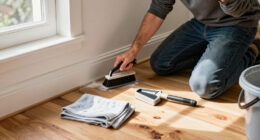
- Use a dry cloth or a soft brush to clean the metal contacts on both the charger and battery.
- Check for corrosion, dirt, or damage. Clean or replace if necessary.
Step 3: Check Battery Compatibility and Condition
Ensure your batteries are genuine Milwaukee products compatible with your charger. If using third-party or older batteries, they might not charge properly. Test with a known good battery if available.
Step 4: Allow the Charger to Cool
If the charger feels hot, turn it off and unplug it. Let it cool down for at least 30 minutes. Overheating triggers safety shut-downs and blinking lights. Avoid charging in direct sunlight or hot environments.
Step 5: Test and Replace if Needed
After cleaning and cooling, reconnect the battery and plug in the charger. If the red blinking persists, try a different battery or charger. Faulty batteries or chargers may need replacement.
The Products in This Guide

Milwaukee M18 18V Cordless Power Tool Combo Kit
- ✔ Voltage: 18V
- ✔ Battery Capacity: Up to 5Ah
- ✔ Charging Time: Approximately 30-60 minutes

Milwaukee Shockwave 100pcs Impact Driver Bit Set Packout
- ✔ Material: Impact-rated steel
- ✔ Number of Bits: 100
- ✔ Storage: Packout case
Milwaukee M18 18V Cordless Power Tool Combo Kit
The Milwaukee M18 Cordless Power Tool Combo Kit offers versatility and performance, but occasional charging issues can arise. The blinking red light typically indicates a problem with the battery or charger that can be resolved with simple steps.
Pros:
- Includes 3 batteries for extended work time
- Rapid charger minimizes downtime
- Versatile tools for multiple applications
- Durable construction
Cons:
- Charger may overheat if not used properly
- Battery compatibility issues if third-party used
- Blinking red can be confusing without pattern reference
Best for: Professional contractors and DIY enthusiasts needing reliable cordless power.
Not ideal for: In environments with extreme heat or dirt, which may affect charger performance.
Bottom line: Addressing the blinking red light involves simple inspection, cleaning, and patience—most issues are fixable without professional help.
Milwaukee Shockwave 100pcs Impact Driver Bit Set Packout
The Milwaukee Shockwave Impact Driver Bit Set provides durable, high-quality bits that complement your cordless tools, ensuring efficient fastening and minimal wear during tough jobs.
Pros:
- 100-piece set for versatility
- Packout case for organization
- Impact-rated durability
- Compatible with all M18 impact drivers
Cons:
- Bit sizes may be limited for specialized tasks
- Heavy impact on storage case after prolonged use
- Some bits may wear faster with heavy use
Best for: Professionals and serious DIYers needing reliable impact driver bits.
Not ideal for: Light-duty projects or occasional use where fewer bits suffice.
Bottom line: This impact driver bit set is a versatile, durable addition for any Milwaukee M18 impact driver collection.
Frequently Asked Questions
Why is my Milwaukee charger blinking red?
A blinking red light typically indicates a problem such as overheating, battery incompatibility, or a fault with the charger or battery. Refer to the blinking pattern and troubleshoot accordingly.
How long should I wait if the charger is hot?
Allow the charger to cool for at least 30 minutes before retrying. Overheating can trigger safety shut-downs and cause blinking indicators.
Can I use third-party batteries with my Milwaukee charger?
It’s best to use genuine Milwaukee batteries to ensure compatibility and safety. Third-party batteries may not charge properly or could damage the charger.
What if cleaning contacts doesn’t fix the blinking red light?
If cleaning does not resolve the issue, test with a different compatible battery. Persistent blinking may indicate a faulty charger or battery that requires replacement.
Getting Your Milwaukee Charger Back in Action
Dealing with a blinking red light on your Milwaukee charger can be straightforward with a systematic approach. By inspecting the pattern, cleaning contacts, and ensuring proper cooling, you can often resolve the issue without professional help. Remember to use genuine batteries and handle your charger with care for optimal performance and longevity.
Affiliate disclosure: As an Amazon Associate we earn from qualifying purchases. Prices and availability are accurate as of the time of publishing.
Fall yard work Picks
leaf blowers
As an affiliate, we earn on qualifying purchases.