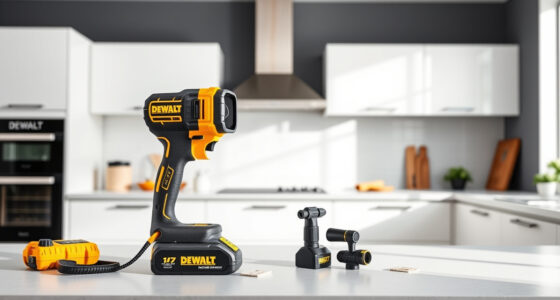
DeWALT power tools are renowned for their durability and performance, but like any power tool, they can sometimes overheat. Overheating can reduce performance, cause damage, or even pose safety risks. Understanding the causes of overheating and knowing how to troubleshoot them is essential for safe and effective use.

Get business pricing on tools and workshop supplies
- Business-only prices and quantity discounts
- Tax-exempt purchasing
- Multiple users, one account, clear invoices
In this guide, we’ll explore common causes of overheating in DeWALT tools, especially cordless drills like the DCK277D2, and provide clear, step-by-step solutions to fix the issue. Whether your tool gets hot during prolonged use or suddenly stops working, these tips will help you identify and resolve the problem efficiently.
Key Takeaways
| Overheating causes | Overuse, blocked vents, worn brushes, or faulty batteries can lead to overheating. |
| Immediate steps | Stop using the tool, unplug or remove the battery, and let it cool down. |
| Maintenance tips | Regular cleaning, proper storage, and using compatible batteries extend tool lifespan. |
| Safety reminder | Always wear protective gear and follow safety procedures when troubleshooting. |
Identify the Symptoms of Overheating
Before troubleshooting, recognize when your DeWALT tool is overheating. Common signs include excessive heat on the body of the tool, a burnt smell, a sudden drop in performance, or the tool shutting down unexpectedly. If you notice any of these signs, it’s crucial to stop using the tool immediately to prevent damage or safety hazards.
In my experience, a quick visual and tactile check often reveals overheating. Feel the body and vents of the drill or impact driver. If they’re noticeably hot to touch or if the LED indicator (if available) signals an issue, it’s time to troubleshoot.
Step 1: Power Down and Cool the Tool
- Immediately turn off the tool and disconnect it from power—remove the battery from cordless models like the DCK277D2.
- Place the tool in a cool, dry area to allow it to dissipate heat naturally. Avoid placing it in direct sunlight or near heat sources.
- Allow at least 30 minutes for the tool to cool down before attempting any further inspection or use.
This step is crucial for safety and prevents further damage. Never attempt to open or repair the tool while it’s hot, as internal components can cause burns or other injuries.
Step 2: Inspect and Clear Blockages
- Check the vents and cooling pathways for dust, debris, or obstructions. Use a soft brush or compressed air to gently clean these areas.
- Ensure that the air intake and exhaust vents are unobstructed to allow proper airflow during use.
- Inspect the power cord (if corded) or battery contacts for damage or corrosion. Clean contacts with a dry cloth if necessary.
Blocked vents are a common cause of overheating, especially if dust or debris has accumulated over time. Keeping vents clean ensures optimal cooling and prolongs the tool’s life.
Step 3: Check the Battery and Connections
For cordless models, a faulty or worn battery can generate excess heat. Remove the battery and inspect for swelling, corrosion, or damage. If the battery appears swollen or damaged, replace it immediately.
Use only genuine DEWALT batteries compatible with your model, such as the DCB205-2 20V MAX 5Ah Lithium-ion batteries, which are designed for safe operation and optimal performance.
Ensure the battery contacts are clean and properly seated when reattaching. Poor contact can cause overheating and reduced runtime.
Step 4: Perform Basic Maintenance and Use Proper Technique
Regular maintenance extends your tool’s lifespan. Keep the tool clean and lubricated if applicable. Follow the manufacturer’s instructions for maintenance routines.
When using the tool, avoid overloading it beyond its rated capacity. Use the correct bit or accessory for the job and avoid prolonged continuous operation, which can cause excessive heat buildup.
For example, when drilling metal, use lower speeds and intermittent breaks to prevent overheating.
Tips and Warnings for Safe Troubleshooting
- Always disconnect power before inspecting or cleaning your tool.
- Wear safety goggles and gloves to prevent injury from debris or hot components.
- If the tool continues to overheat despite troubleshooting, avoid further use and consult professional repair services.
- Use only manufacturer-approved batteries and accessories to prevent electrical issues.
- Keep your workspace well-ventilated to aid cooling and prevent dust accumulation.
The Products in This Guide

DEWALT 20V MAX Cordless Drill and Impact Driver
- ✔ Weight: 3.5 lbs
- ✔ Battery Capacity: 2 x 5Ah
- ✔ Battery Type: Lithium-ion

DEWALT Drill Bit Set
- ✔ Length: 2-1/4 inch to 3 inch
- ✔ Web Design: Tapered
- ✔ Tip Style: Split point
DEWALT 20V MAX Cordless Drill and Impact Driver
The DEWALT 20V MAX Cordless Drill and Impact Driver combo kit offers a compact, lightweight design with ergonomic comfort, making it ideal for tight spaces and prolonged work. Its brushless motors provide efficiency and durability, but like all cordless tools, it can overheat if misused or poorly maintained.
Pros:
- Lightweight and ergonomic design
- Brushless motor for longevity
- Includes 2 batteries and charger
- Bright LED for visibility
Cons:
- Can overheat with extended use
- Battery life may vary depending on workload
- Requires proper maintenance for best performance
Best for: DIYers and professionals needing versatile, portable power tools
Not ideal for: Heavy-duty continuous use without breaks or proper cooling
Bottom line: A versatile, reliable cordless drill set with excellent features for versatile projects.
DEWALT Drill Bit Set
This 14-piece drill bit set features high-speed steel with a black and gold coating, designed for durability and rust resistance. Compatible with your DEWALT drill, it’s perfect for plastic, wood, and metal projects, ensuring clean, precise holes every time.
Pros:
- Durable high-speed steel
- Corrosion resistant coating
- Includes multiple sizes
- Quick identification of sizes
Cons:
- Not suitable for heavy-duty industrial use
- Limited to drill bits only
- Requires proper storage
Best for: DIY projects and professional drilling tasks
Not ideal for: Heavy industrial drilling or continuous use without sharpening
Bottom line: A versatile, durable drill bit set ideal for a wide range of materials.
Frequently Asked Questions
Why is my DeWALT tool overheating during use?
Overheating can be caused by prolonged use, blocked vents, worn brushes, or incompatible batteries. Always check for dust buildup and ensure proper maintenance.
How long should I wait for my tool to cool down?
Allow at least 30 minutes for the tool to cool in a well-ventilated, cool area before inspecting or attempting to use it again.
Can I continue using a tool that feels hot?
No, continuing to use a hot tool risks damage and safety hazards. Always power down and let it cool before further operation.
What maintenance can prevent overheating?
Regularly clean vents, inspect and replace worn brushes or batteries, and avoid overloading the tool during use.
When should I replace the battery if it overheats?
If the battery shows signs of swelling, corrosion, or excessive heat during use, replace it immediately with compatible, genuine DEWALT batteries.
Keeping Your DeWALT Tools Cool and Efficient
Proper troubleshooting and maintenance are essential for preventing overheating and prolonging the life of your DeWALT power tools. By recognizing symptoms early, maintaining your tools regularly, and using them within their limits, you can ensure safe, reliable operation for all your projects. Remember to always follow safety guidelines and consult professional repair services if overheating persists despite troubleshooting efforts.
Affiliate disclosure: As an Amazon Associate we earn from qualifying purchases. Prices and availability are accurate as of the time of publishing.
Fall yard work Picks
leaf blowers
As an affiliate, we earn on qualifying purchases.